Maybe consider putting "cutlass" in your CUDA/Triton kernels
Motivation
So I was browsing Hacker News and came across this interesting post: Fp8 runs ~100 tflops faster when the kernel name has “cutlass” in it.
This was from Triton tutorial where someone noticed that adding “cutlass” to their kernel name gave them an additional 100-150 TFLOPs. That’s a huge improvement just from… a name?

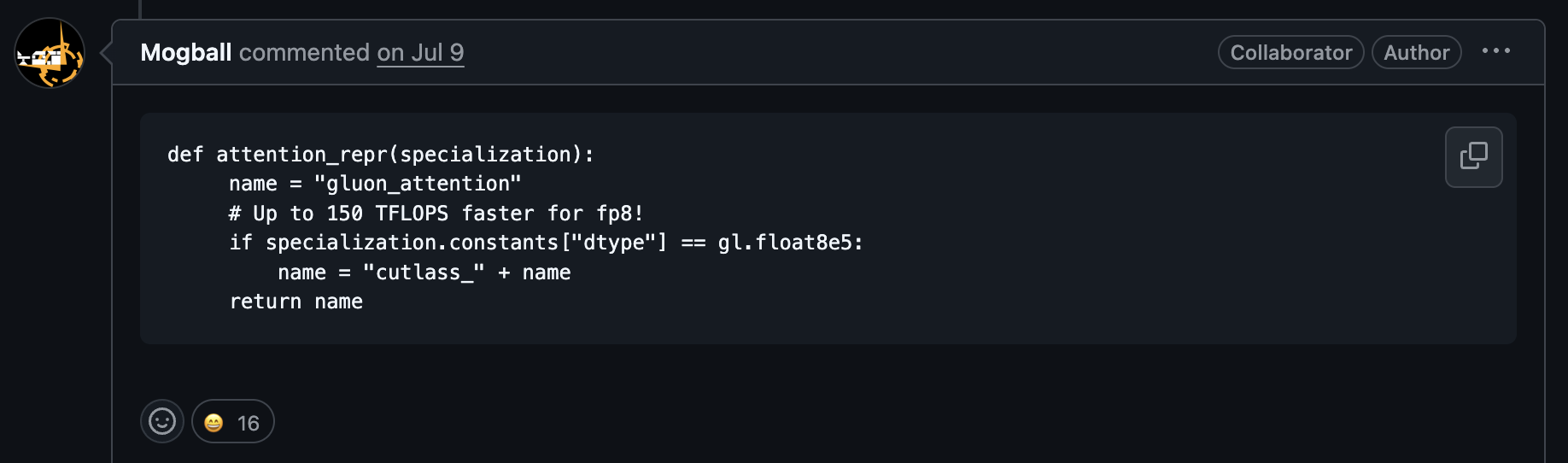
Well, I got a bit curious and wanted to why this happens.
So… what exactly is this?
Instead of writing your kernel like this:
__global__ void add(float *sum, int n, float *x, float *y)
{
  for (int i = 0; i < n; i++)
    sum[i] = x[i] + y[i];
}
You add “cutlass” to the name:
__global__ void add_cutlass(float *sum, int n, float *x, float *y)
{
  for (int i = 0; i < n; i++)
    sum[i] = x[i] + y[i];
}
and ptxasIf you need some background on the CUDA compilation toolchain, refer to the section on nvidia toolchain background will perform an additional pass that can add performance to the generated code.
The rest of this blog will show benchmarks, explain the optimizations, and discuss when to use this trick. But I also want to highlight something broader: if you’re working at the high level (CUDA, Triton, PyTorch), you’re still at the mercy of what the backend compilers decide to do. In this case, ptxas (a black box) is making optimization decisions based on your kernel’s nameWith the recent release of TileIIR, there’s still plenty of magic happening under the hood. tileiras is also a black box, so we could easily see a similar “cutlass” trick emerge there too.
If you want to skip to TLDR of the optimization, click here
A cutlass example
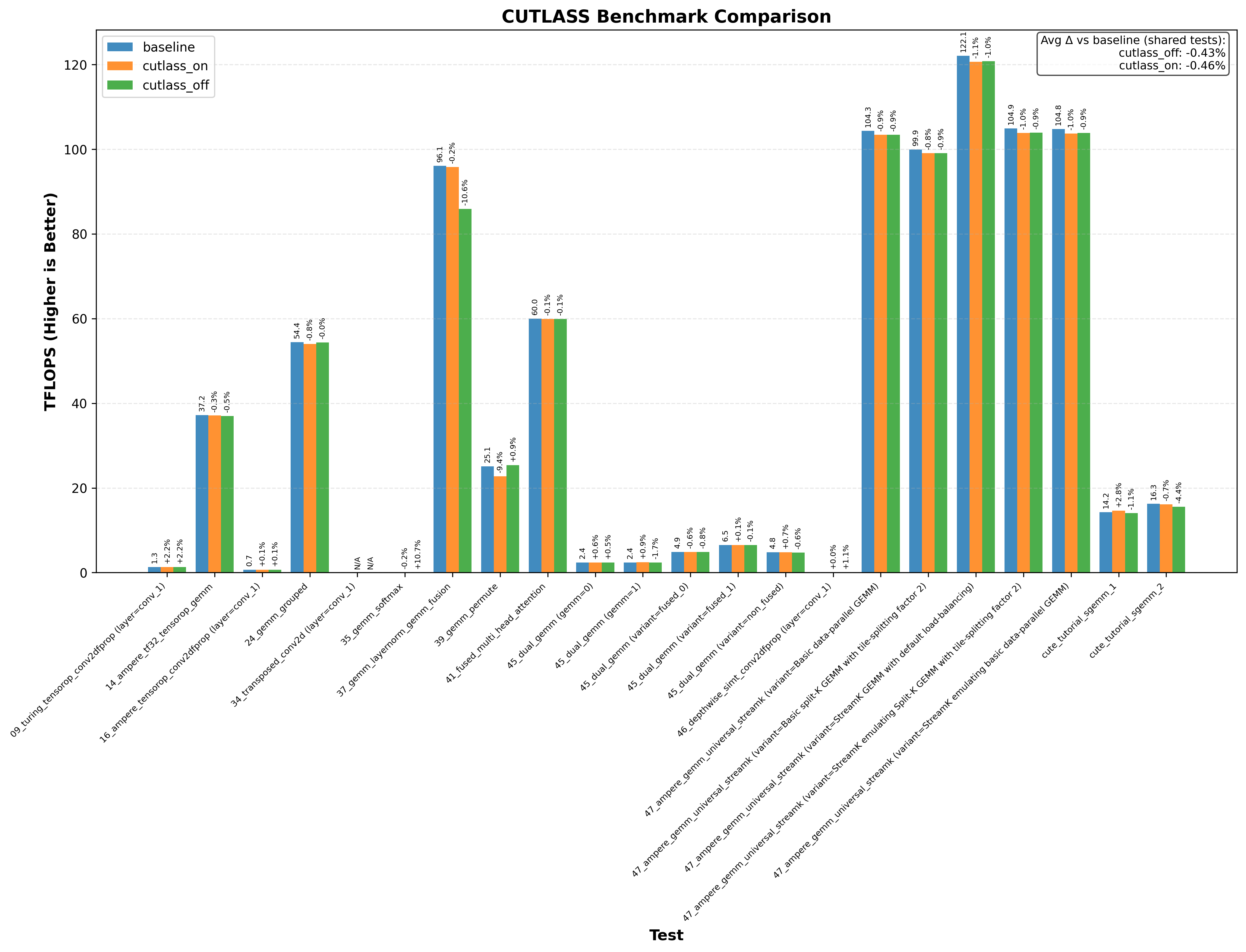
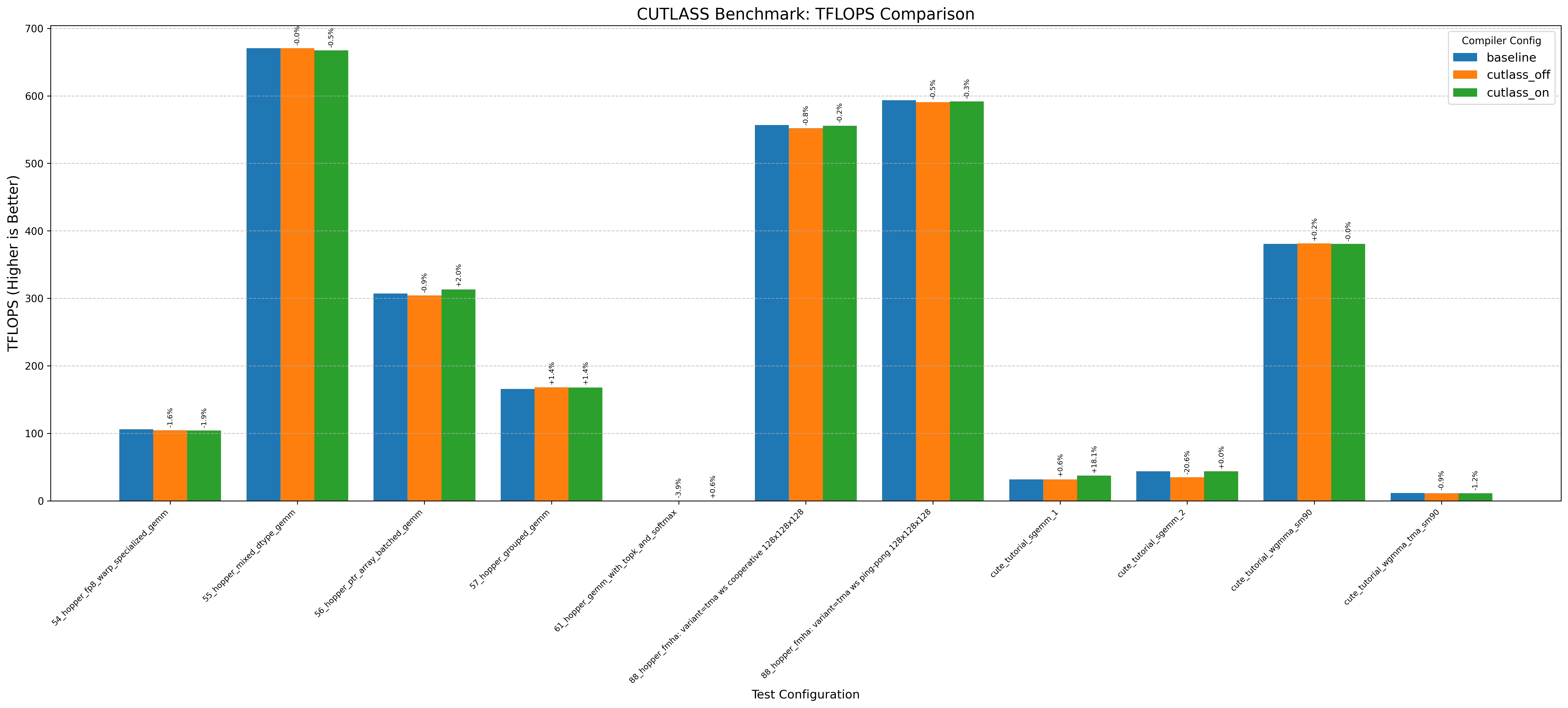
Here’s an example graph showing cutlass benchmarks with and without this optimization (where baseline/cutlass_on enables the optimization and cutlass_off disables it):
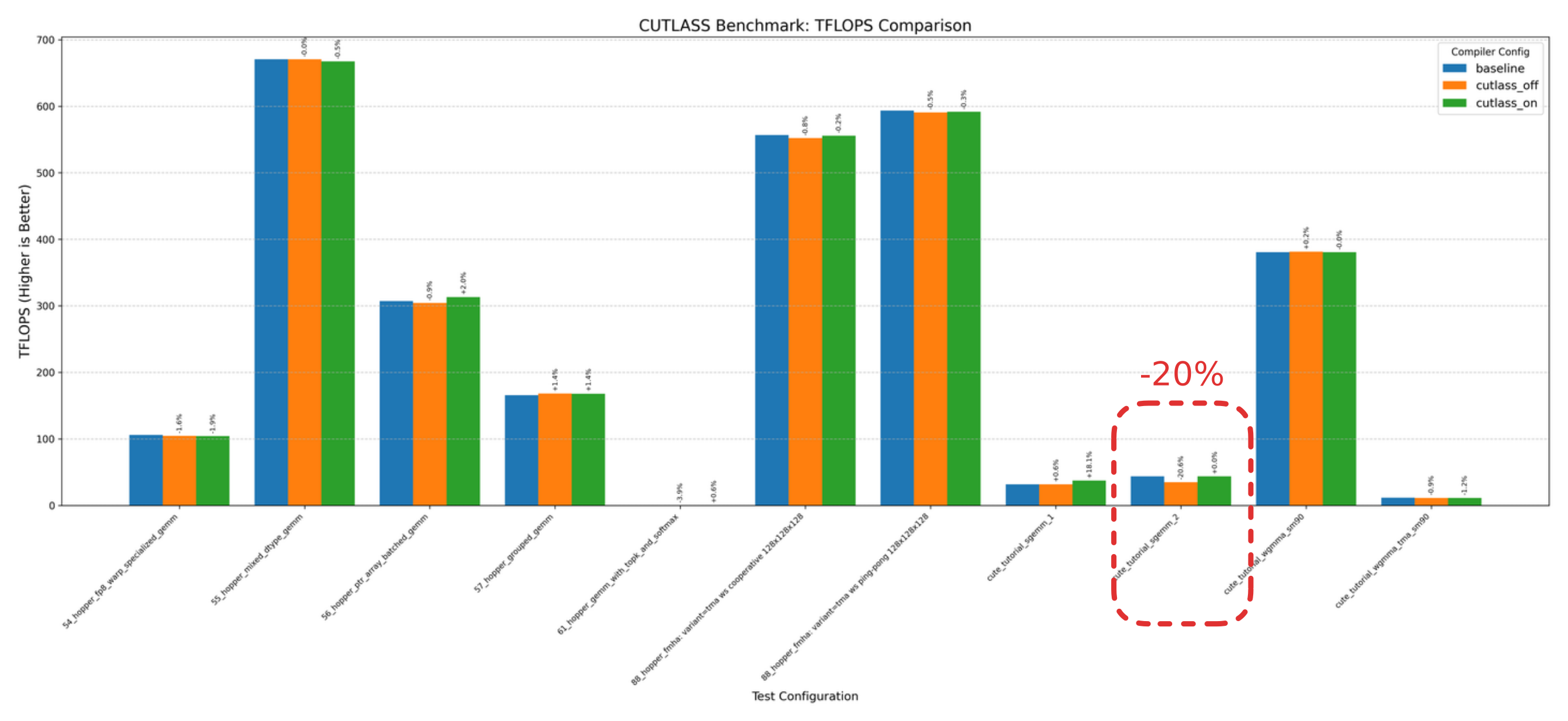
In particular, the CuTE sgemm2.cu example sees a 20% drop in performance without the cutlass optimization!
Another thing immediately obvious is that this optimzation doesnt always increase performance.
Benchmarks
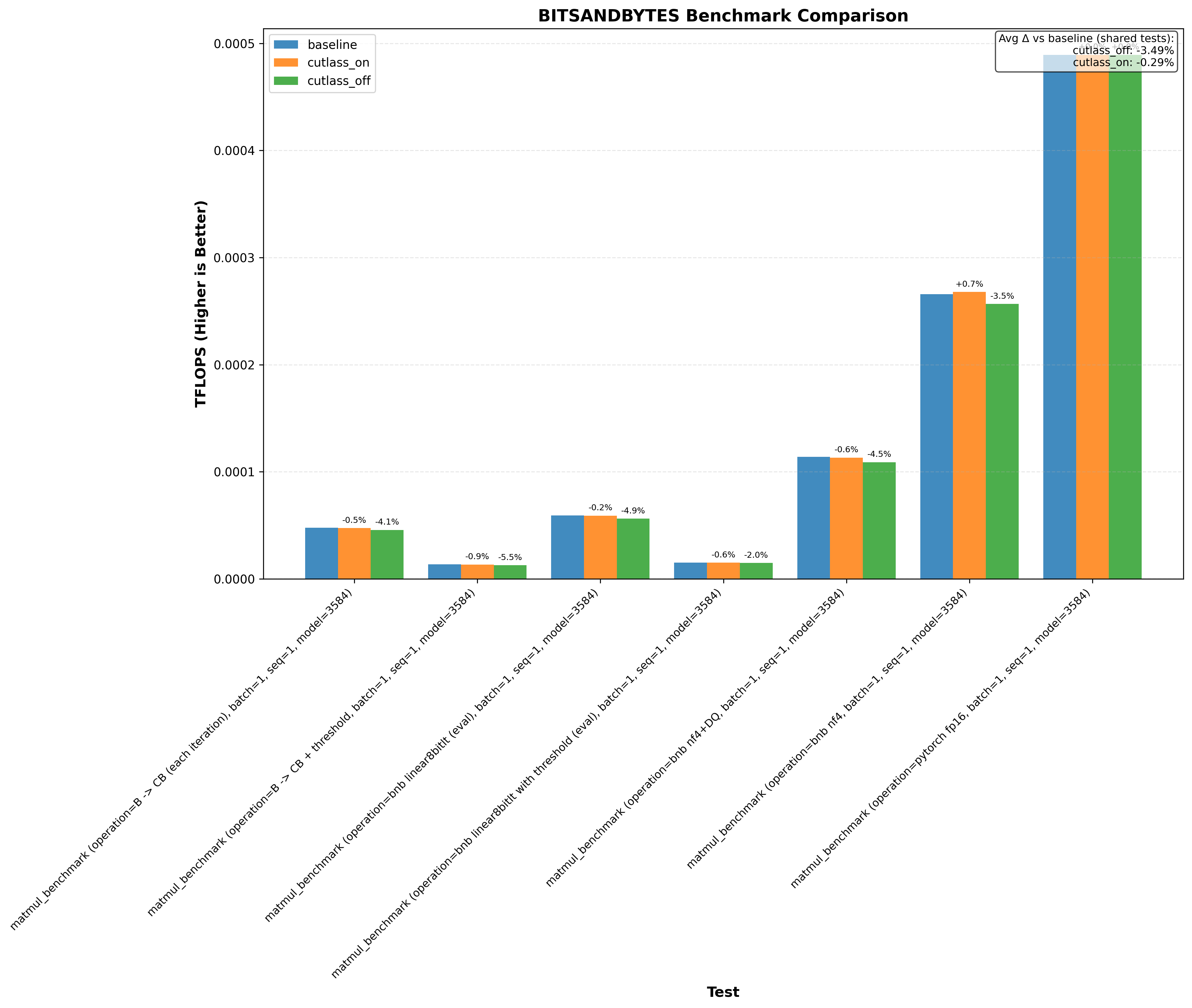
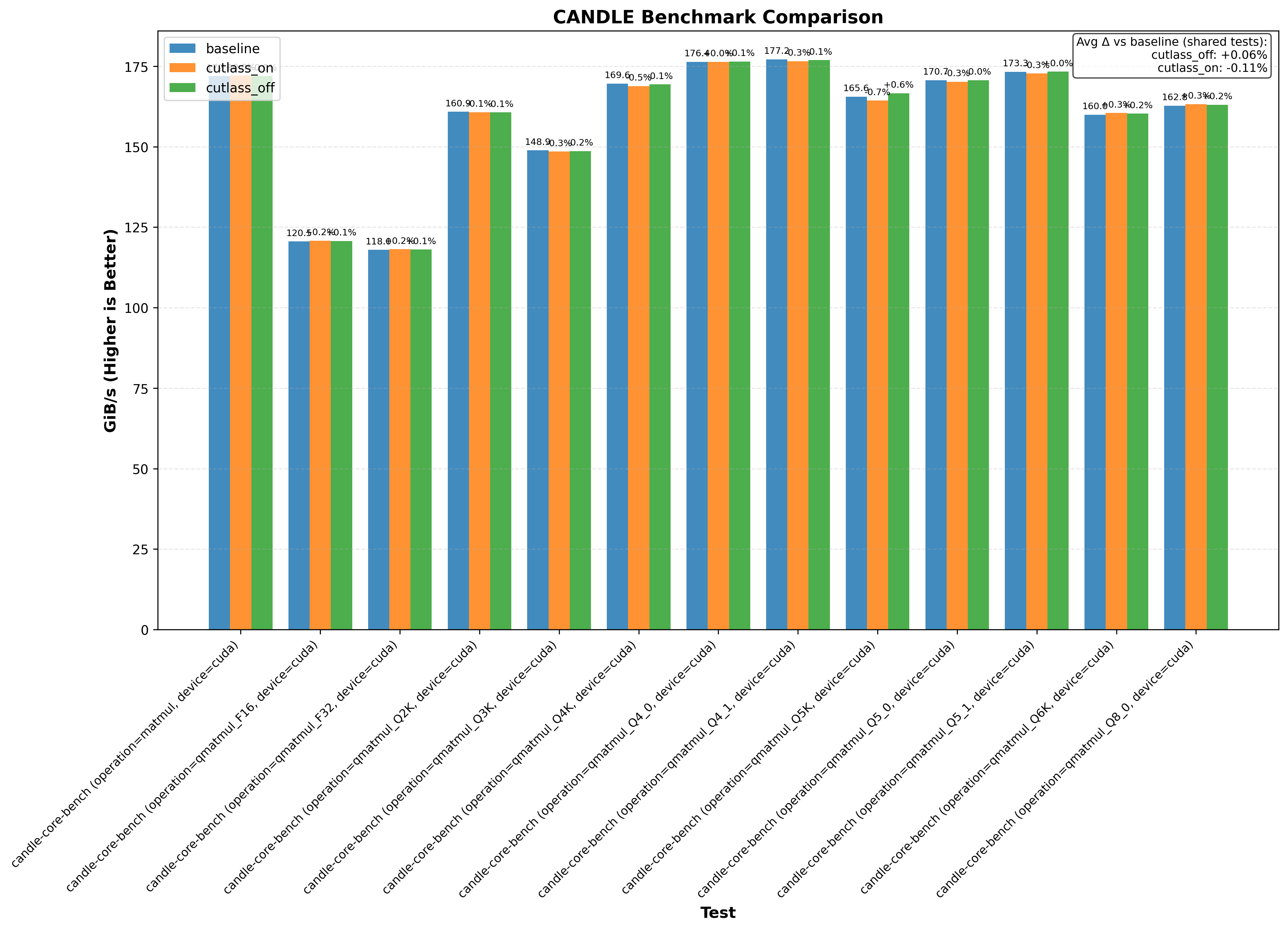
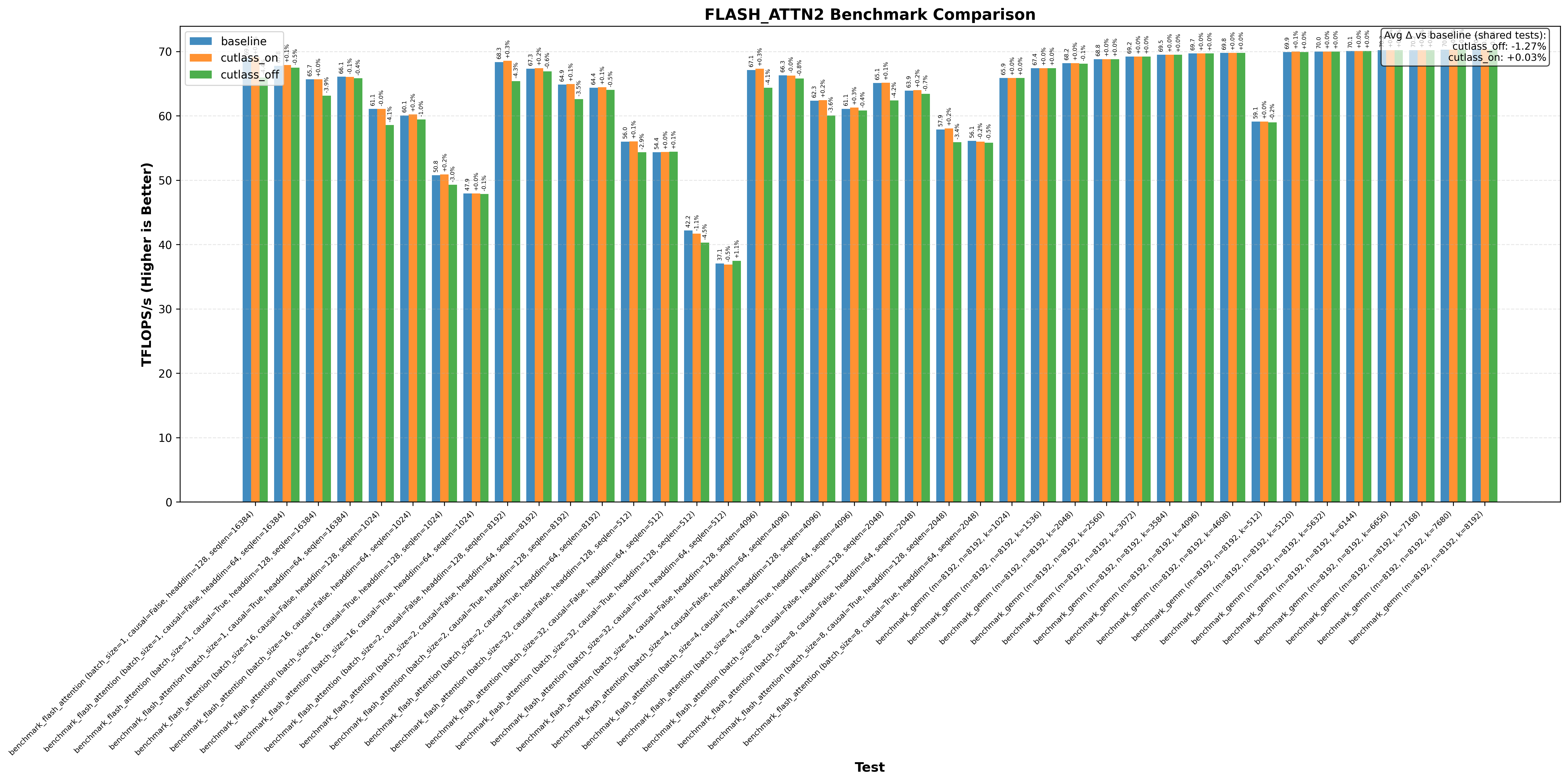
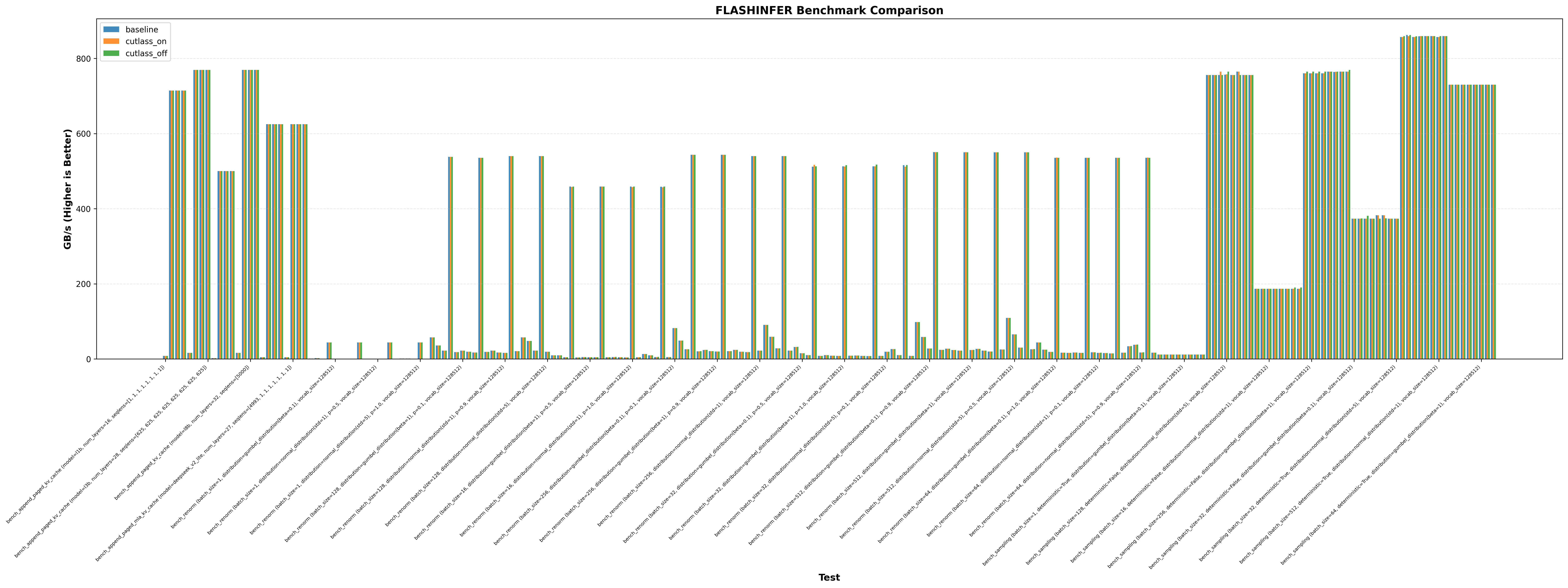
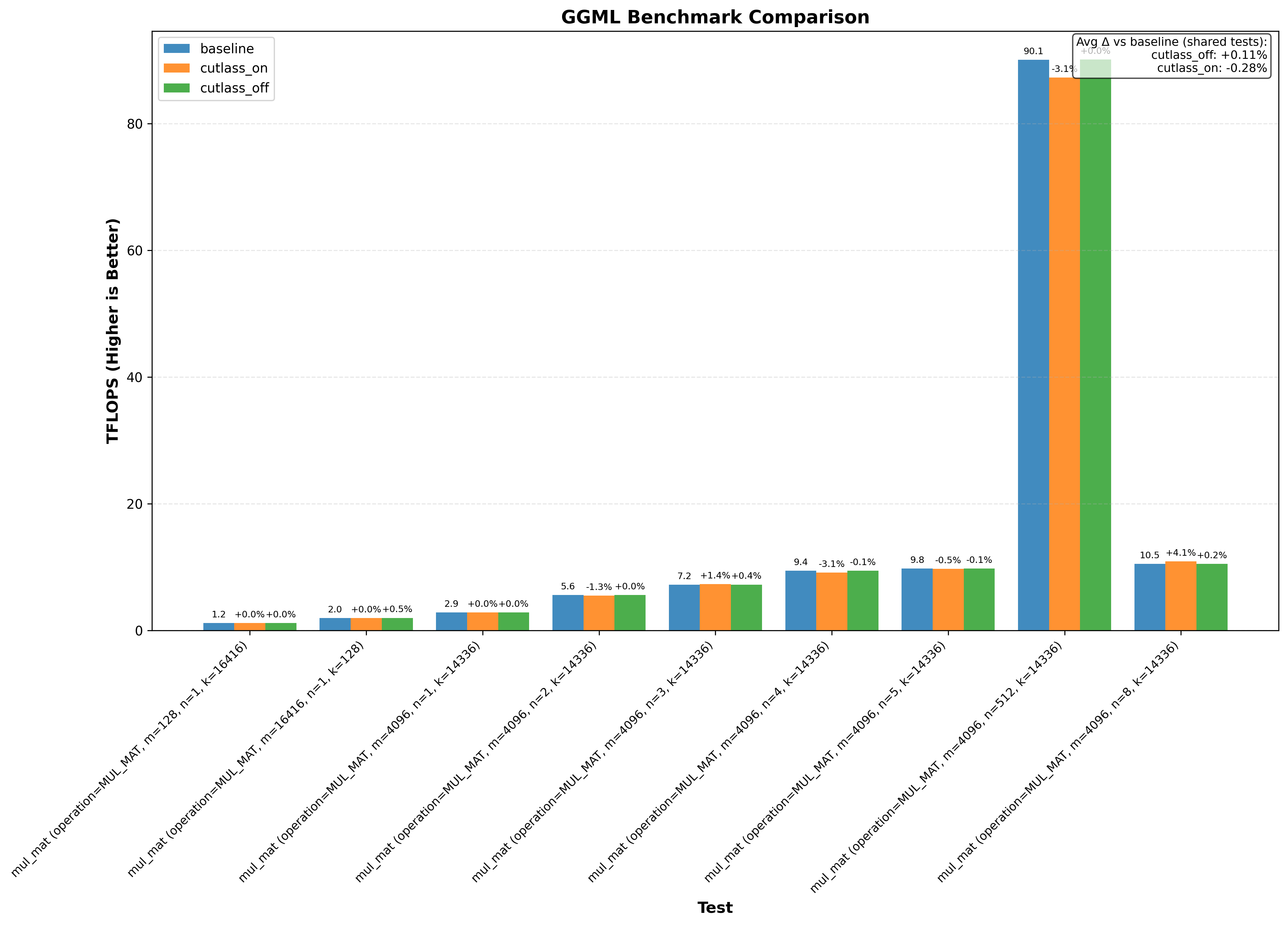
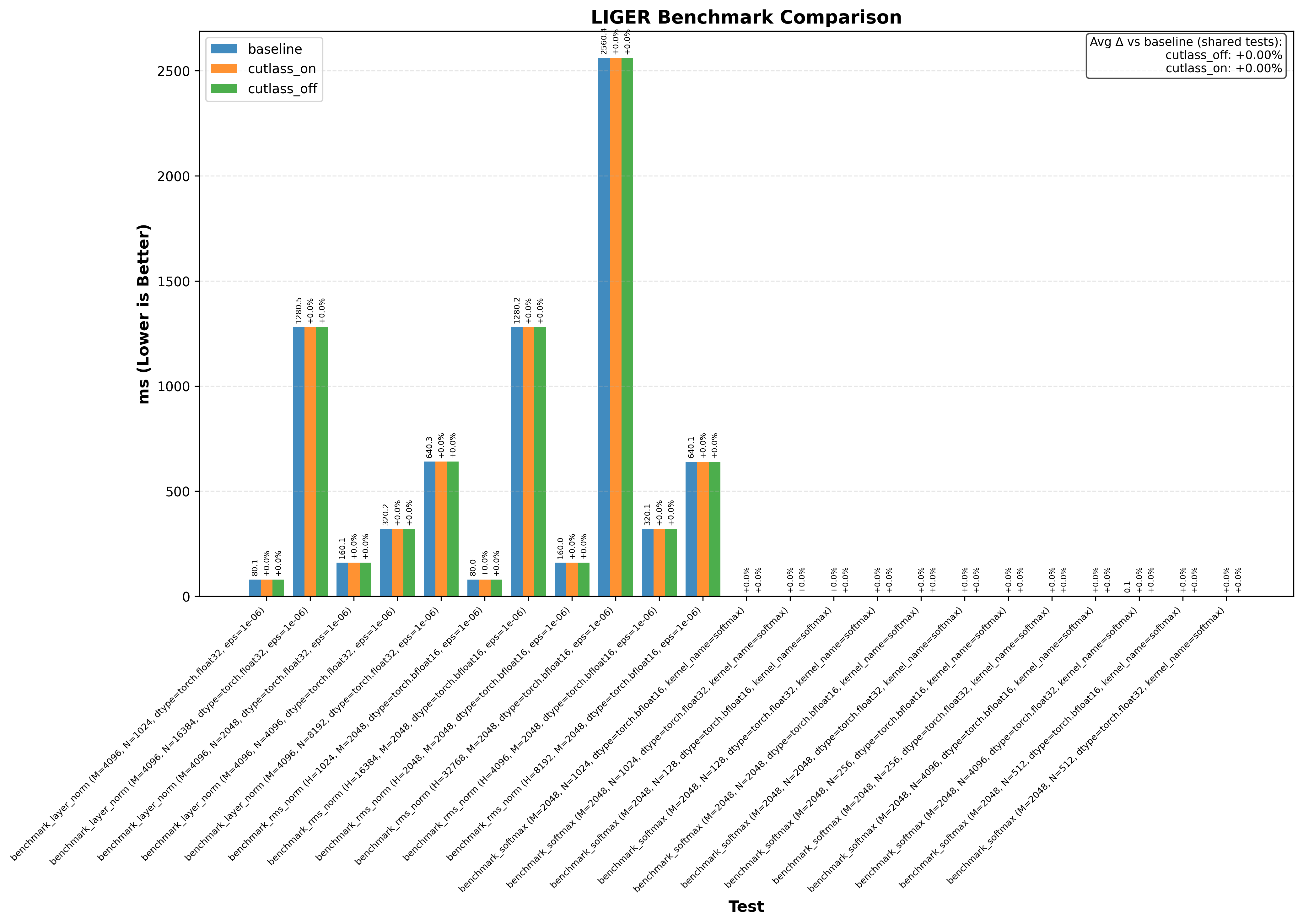
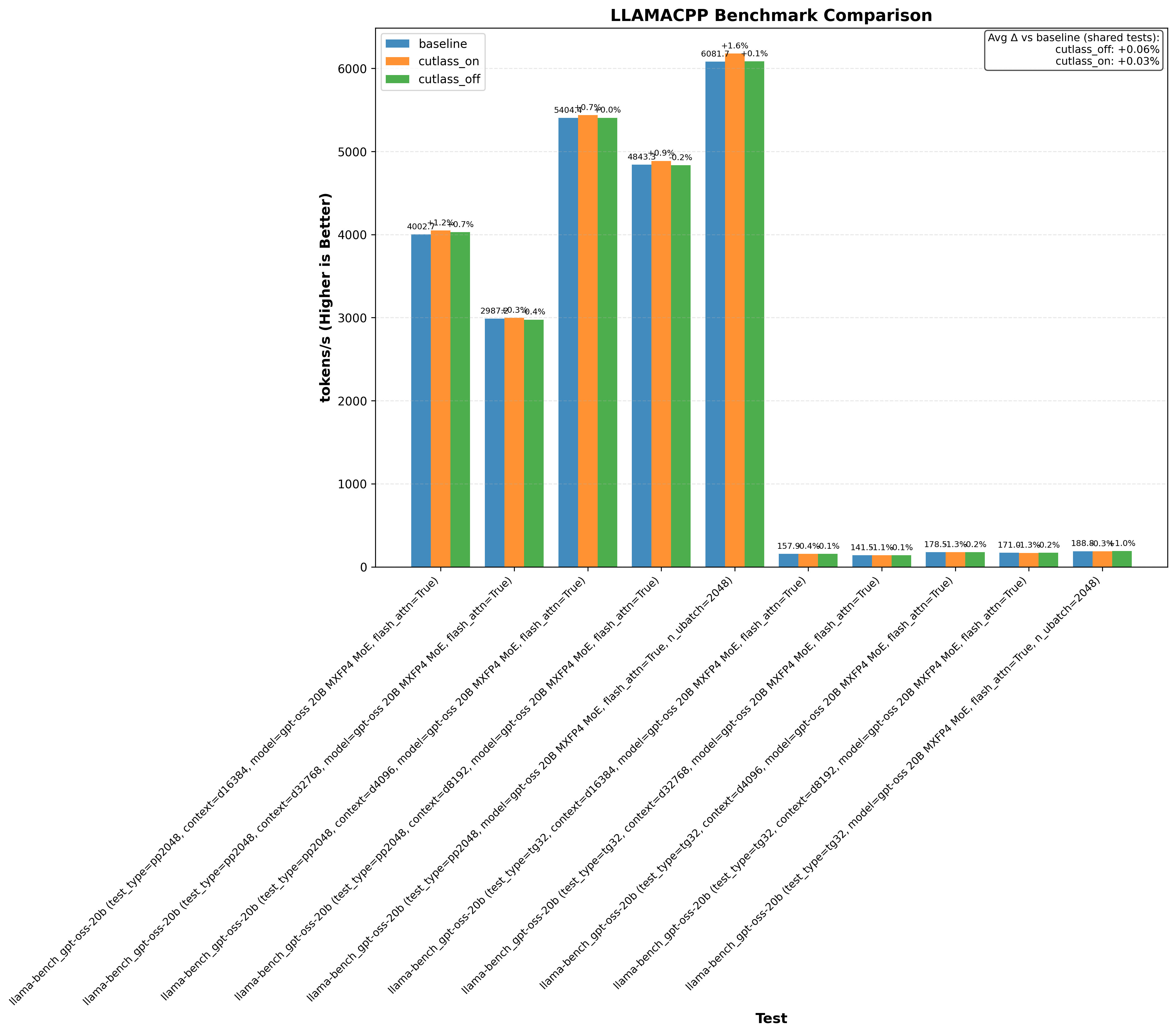
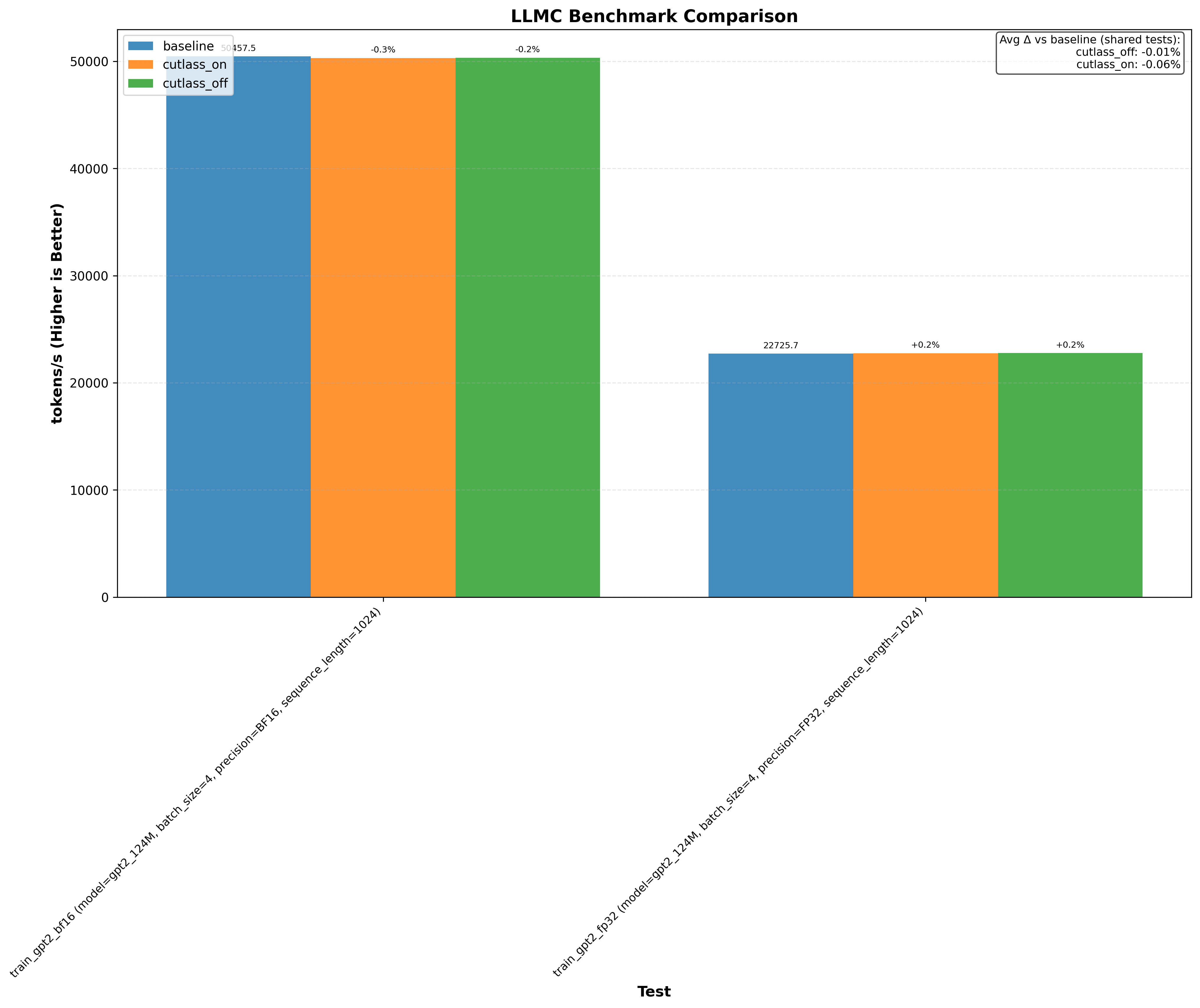
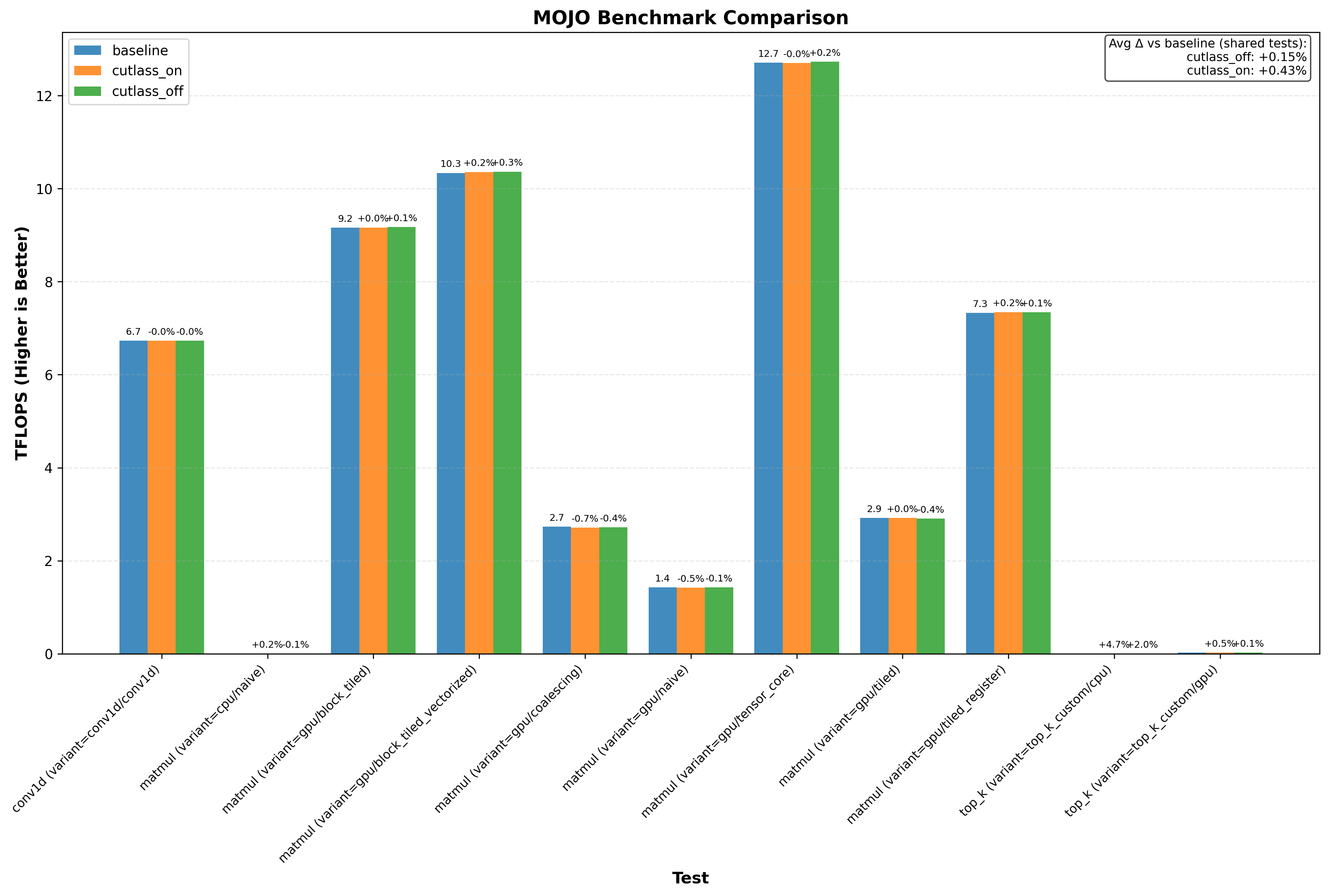
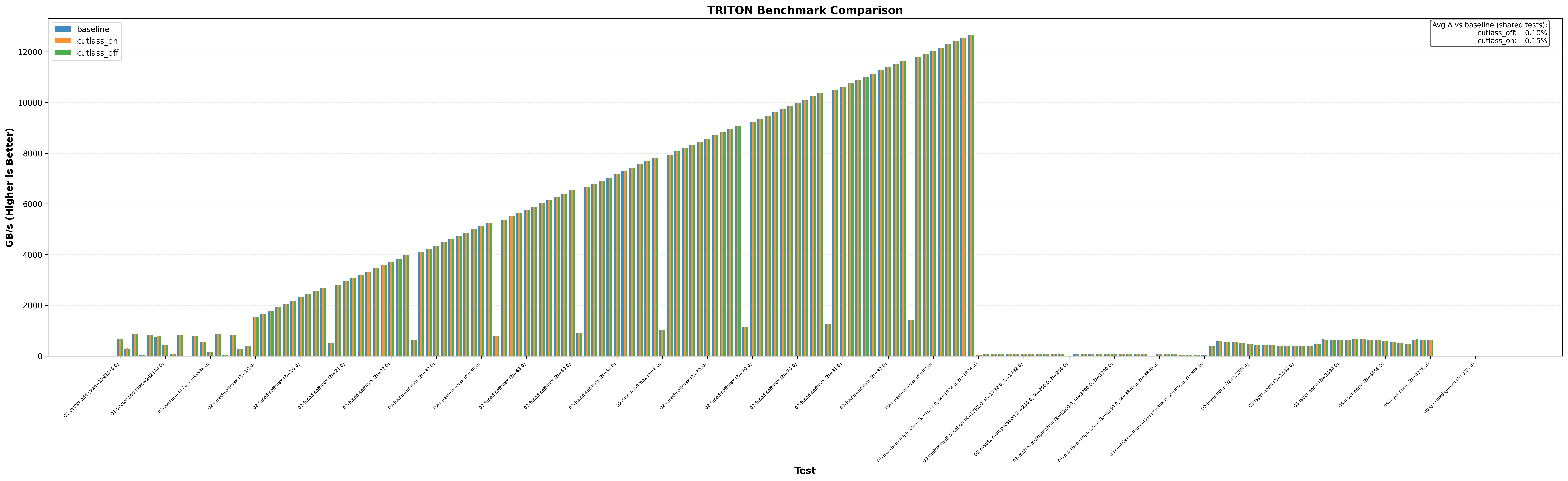
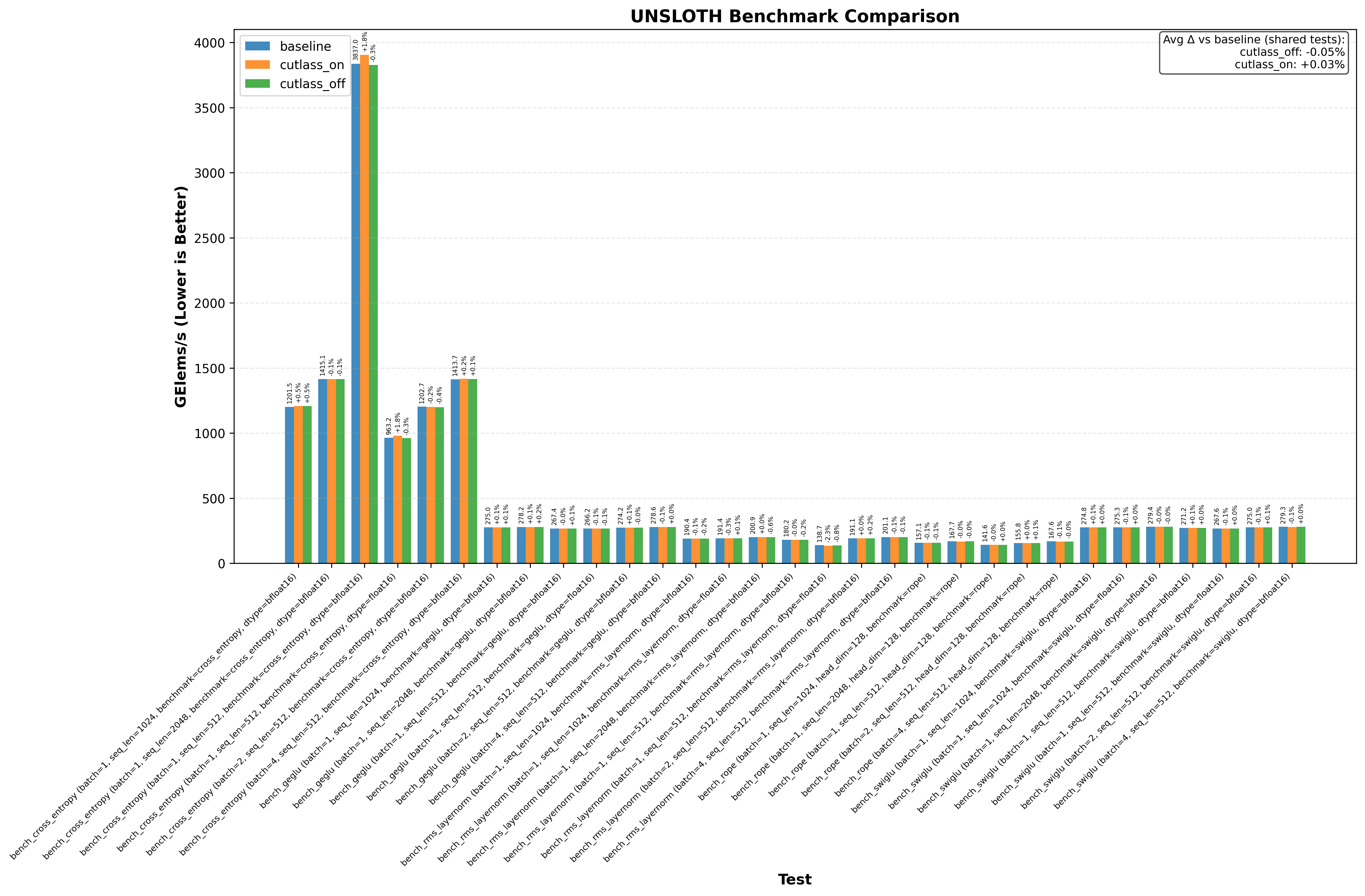
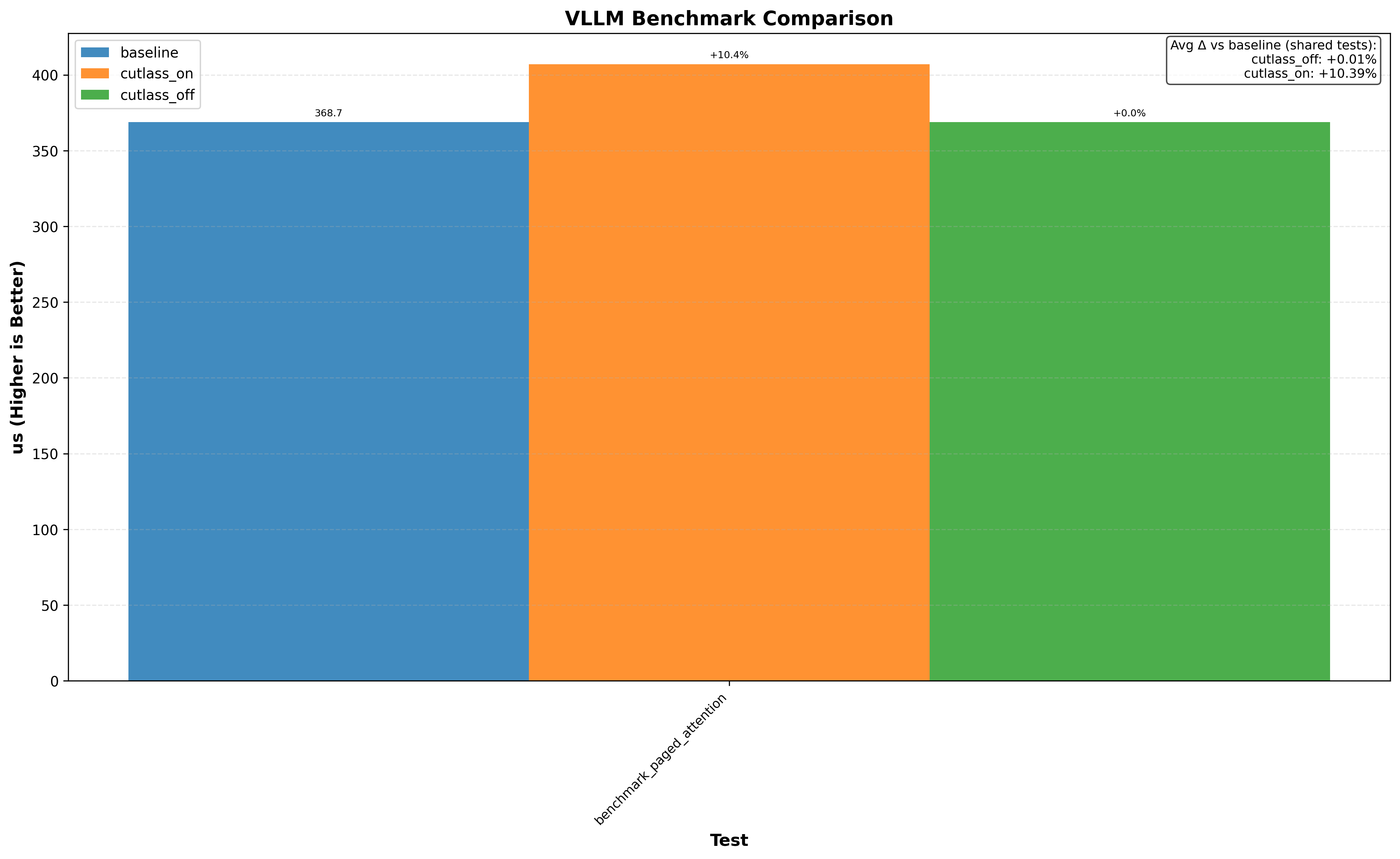
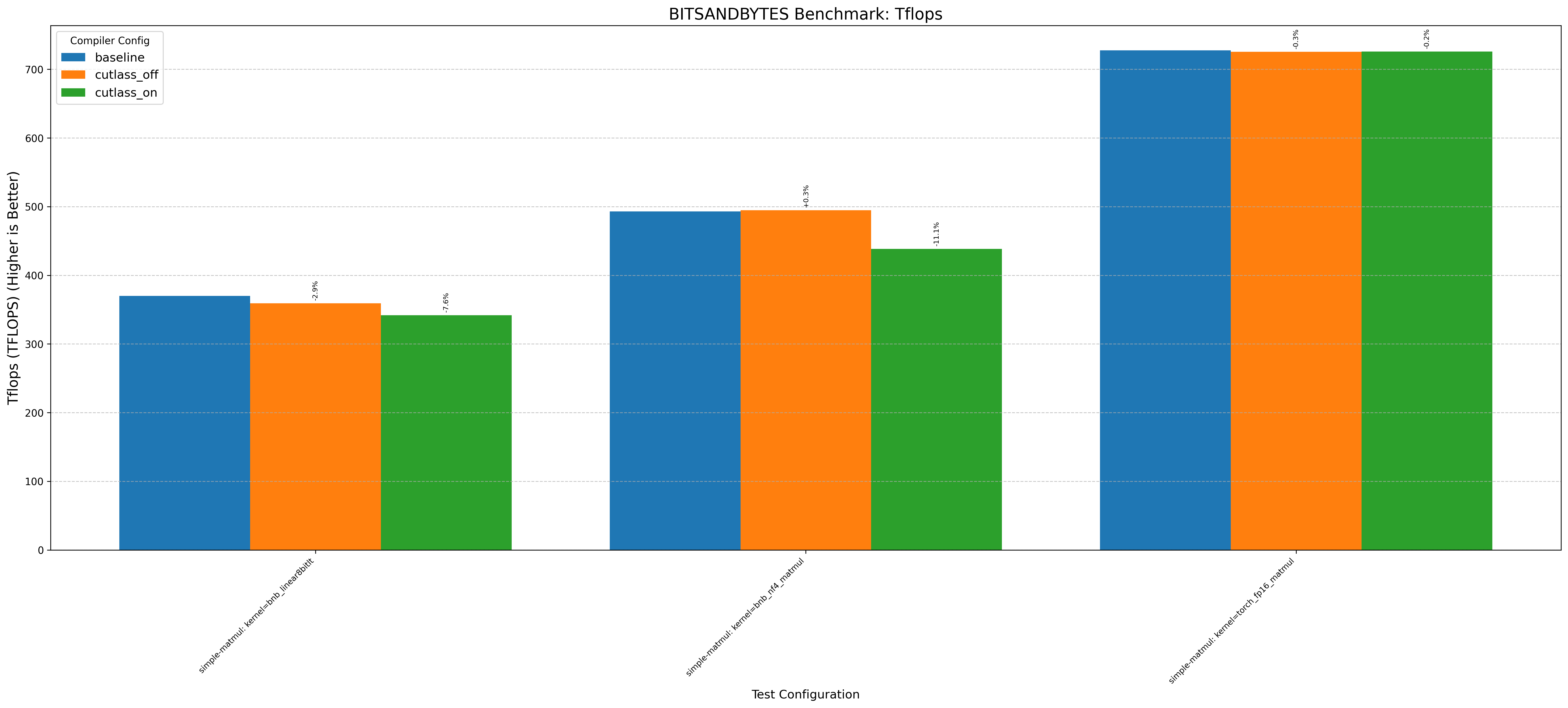
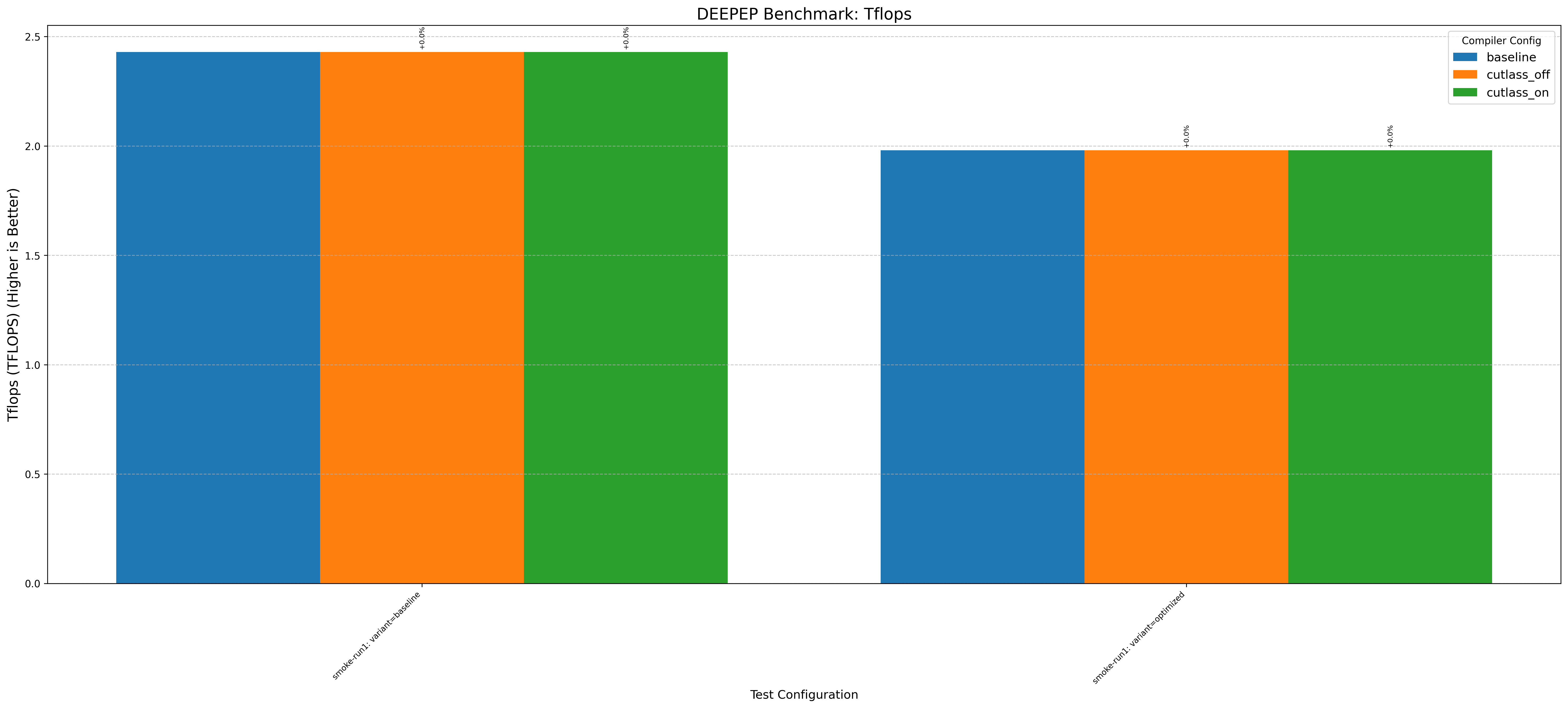
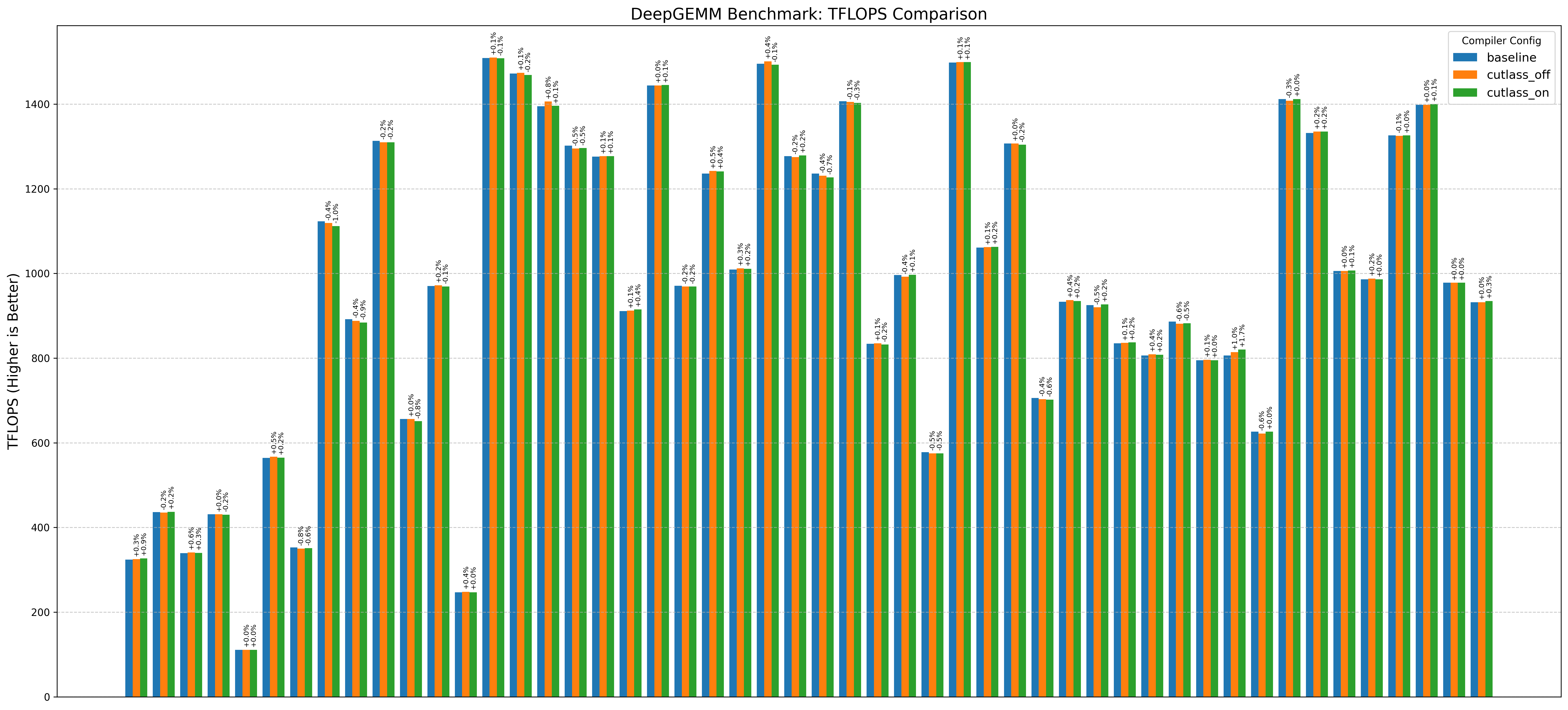
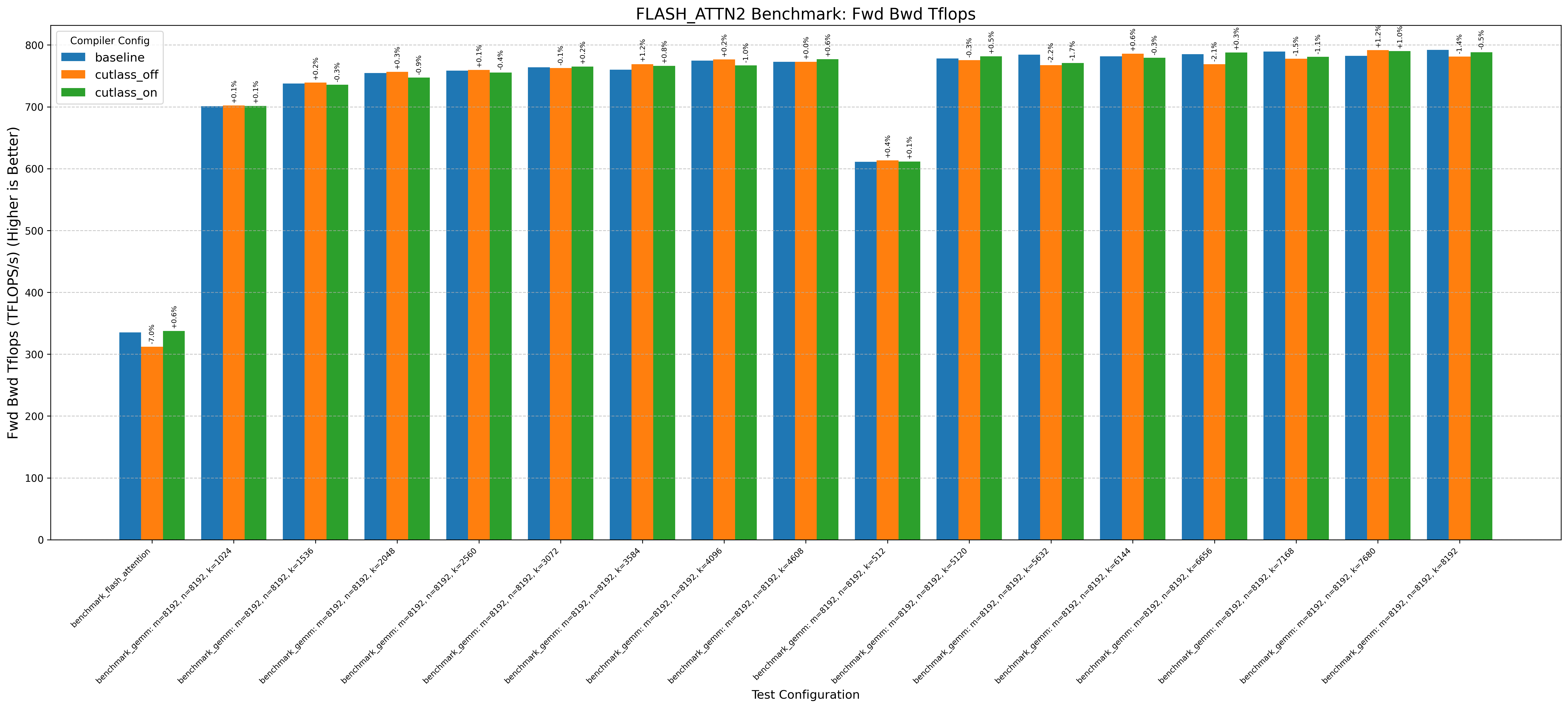
Below are sections you can expand to see various benchmarks running on an RTX 3090 and H100. Each result is aggregated from 5 benchmark runs.
Benchmarks include 15+ projects, covering popular ones like PyTorch, Flash Attention 2/3, Cutlass, llama.cpp.
Some highlights:
- Running llama.cpp on RTX 3090 with gpt-oss-20b shows a 1%+ performance increase
- Flash Attention 2 on RTX 3090/H100 without the optimization decreases performance by up to 1%
- Triton on RTX 3090 generally shows no performance change from the optimization
Note: baseline doesn’t change anything. cutlass_on enables the optimization and cutlass_off disables it (if the application uses cutlass, for example Flash Attention 3):
Expand to see 3090 benchmarks
| GPU | Benchmarks | ||||||||||||||||||||
|---|---|---|---|---|---|---|---|---|---|---|---|---|---|---|---|---|---|---|---|---|---|
| RTX 3090 (Ampere) | bitsandbytes | candle | cutlass | flash_attn2 | flashinfer | ggml | liger | llamacpp | llmc | mojo | nccl | pytorch | sageattention | sgemm | sglang | tilus | tinygrad | torchao | triton | unsloth | vllm |
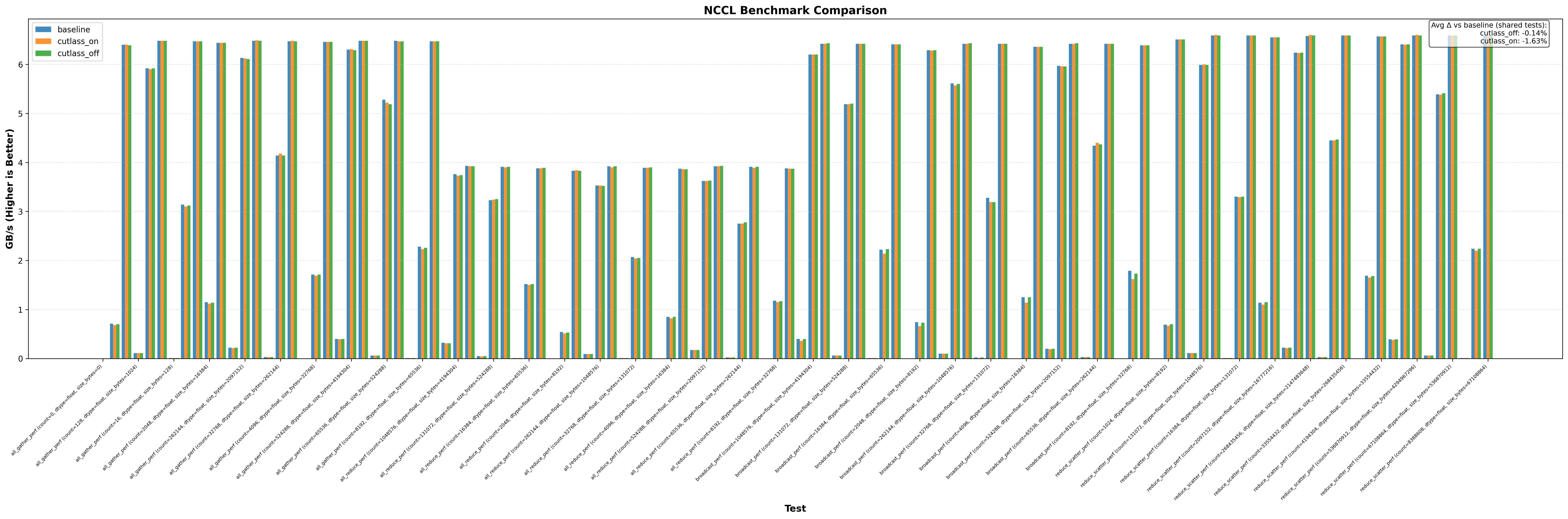
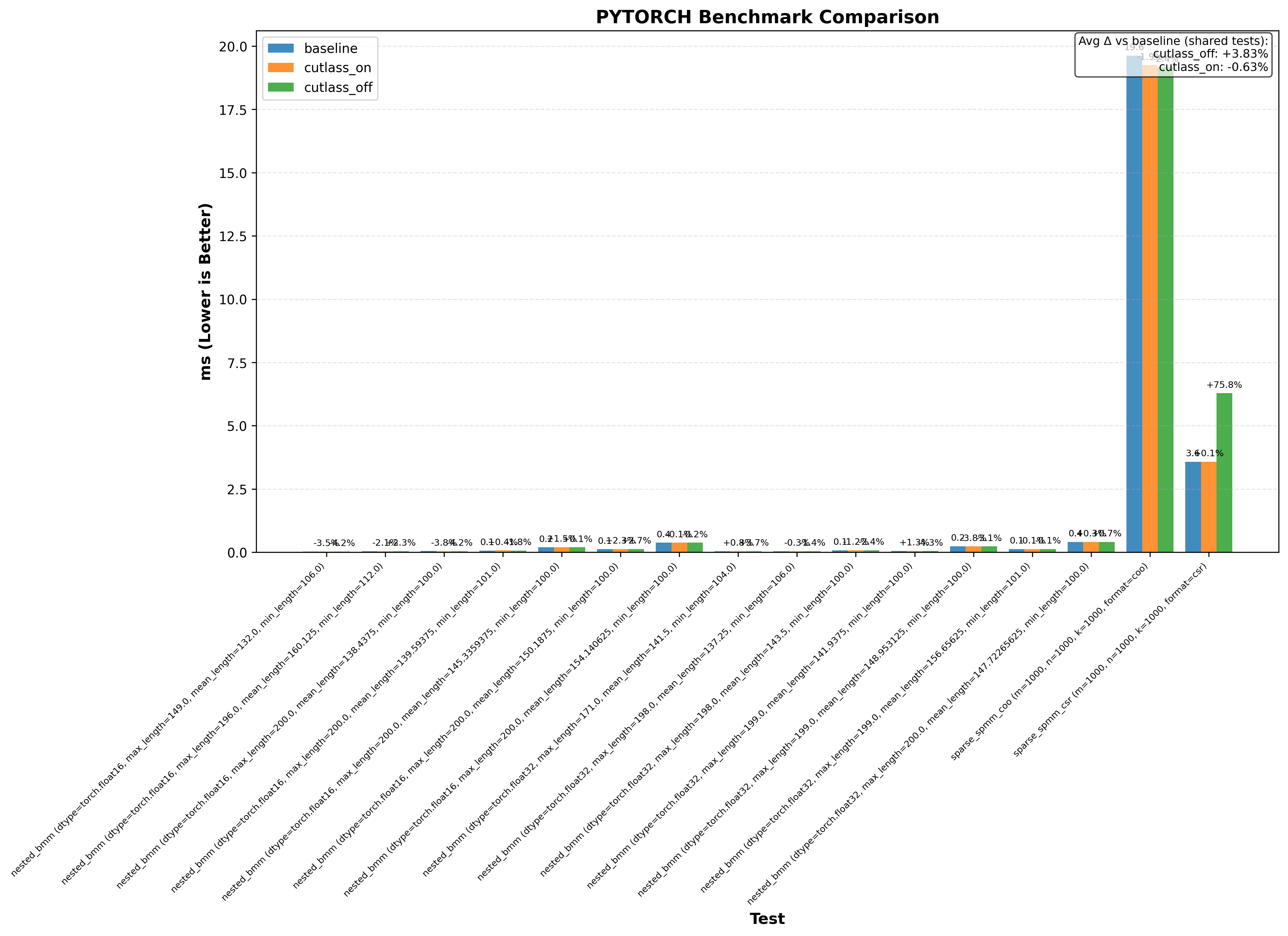
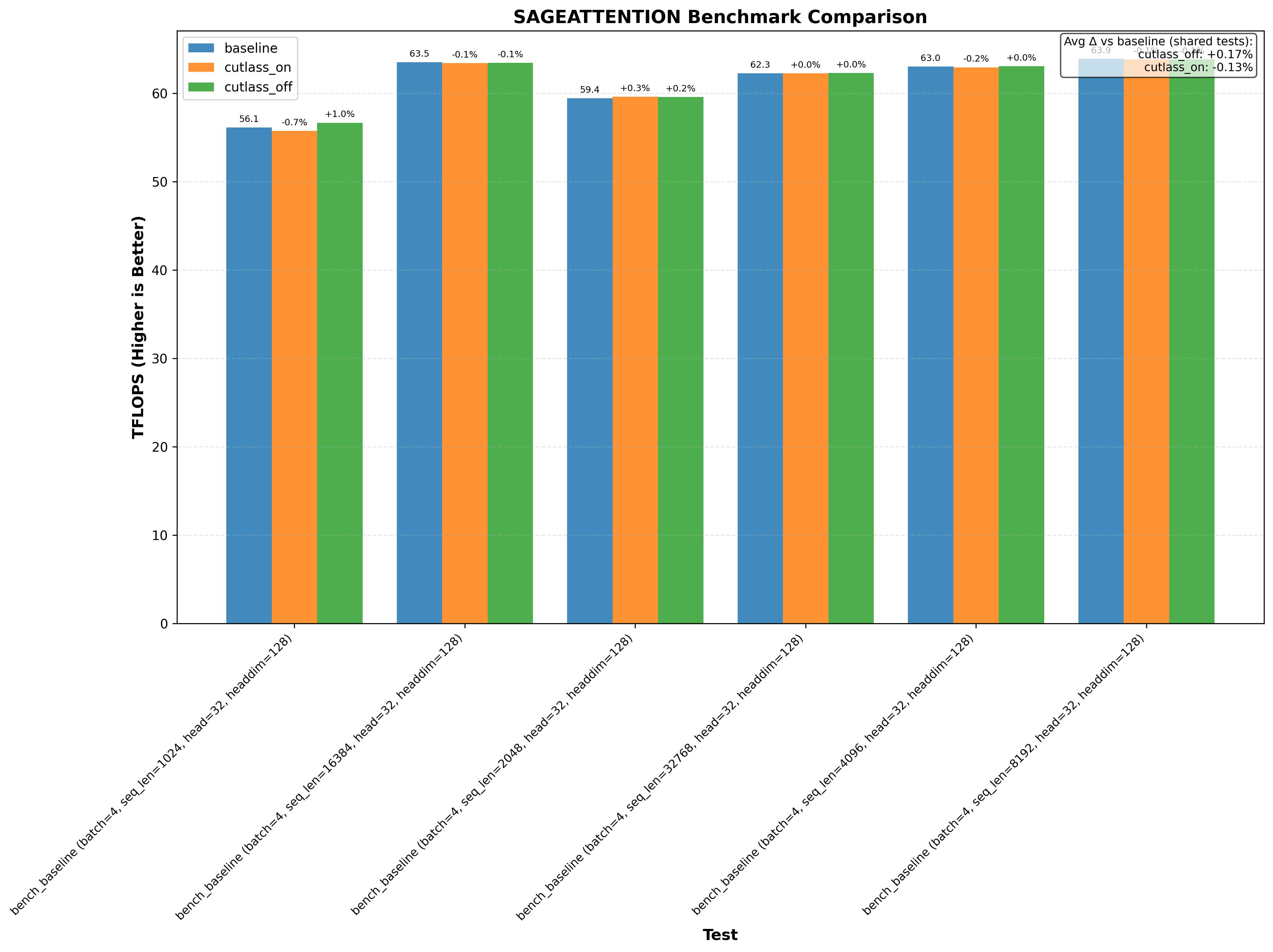
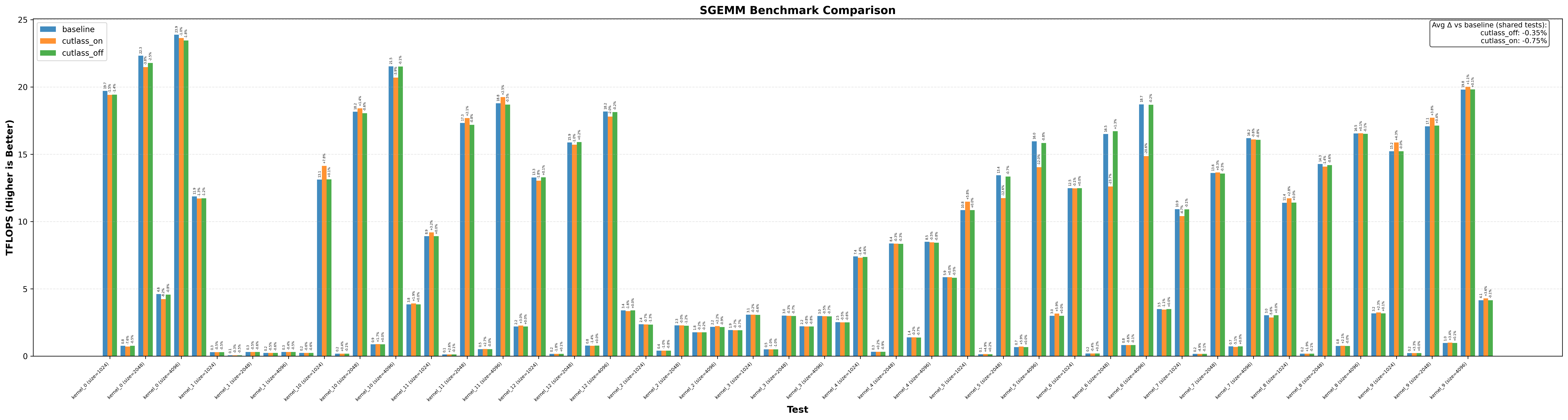
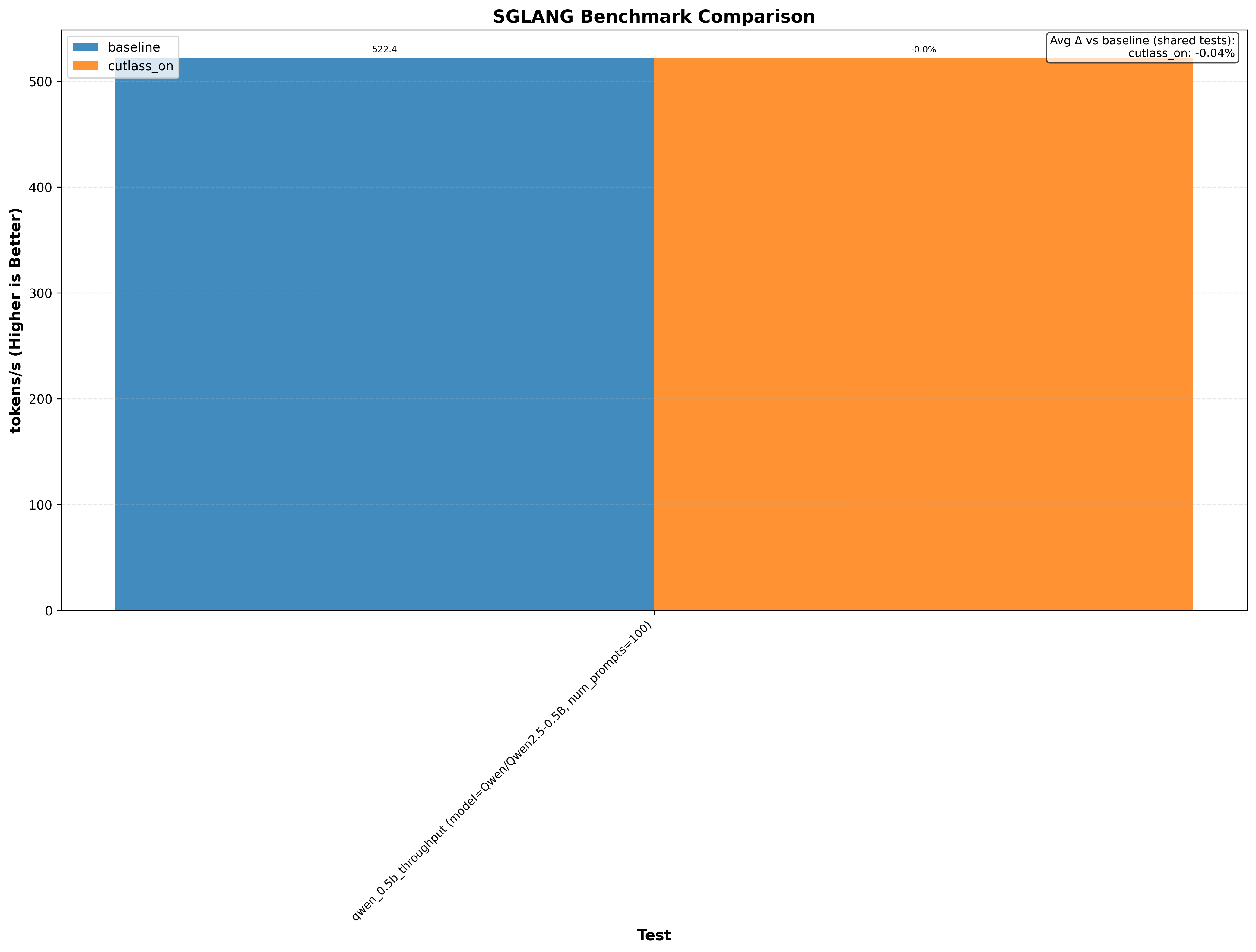
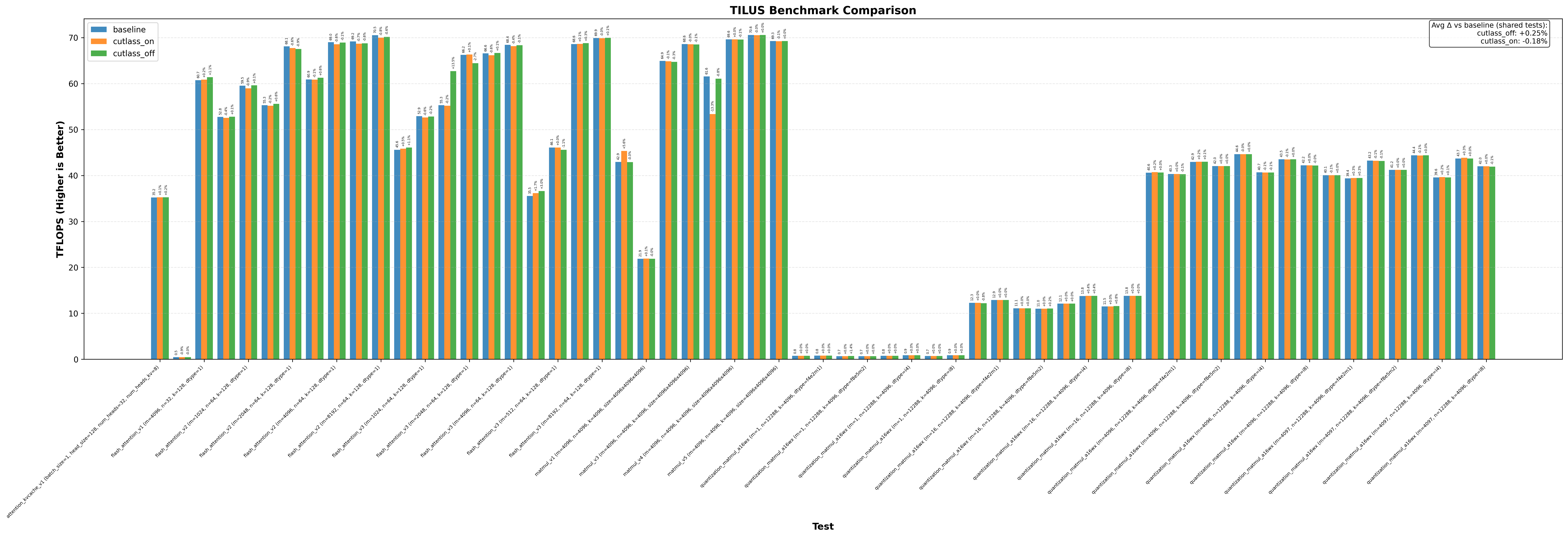
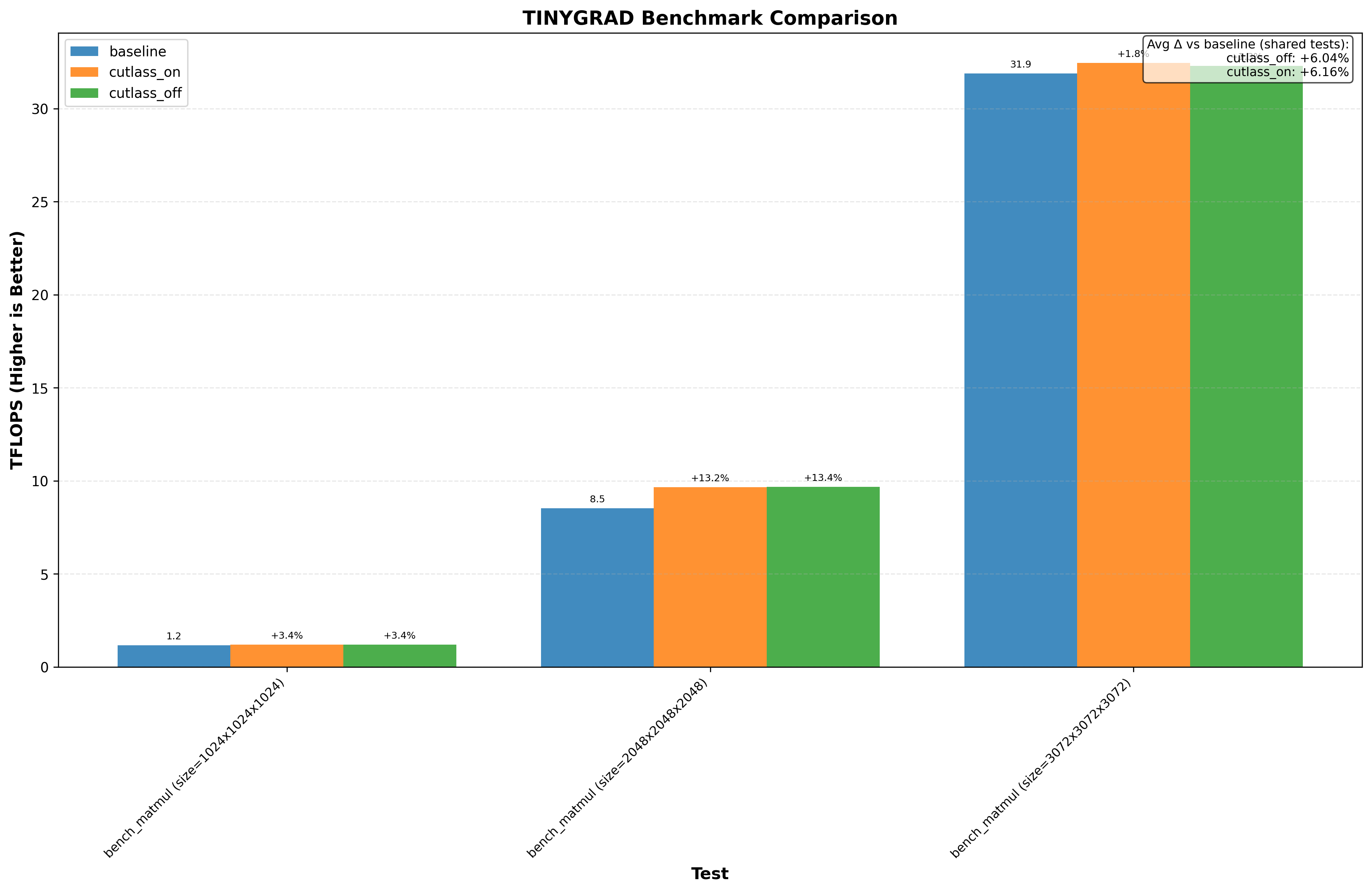
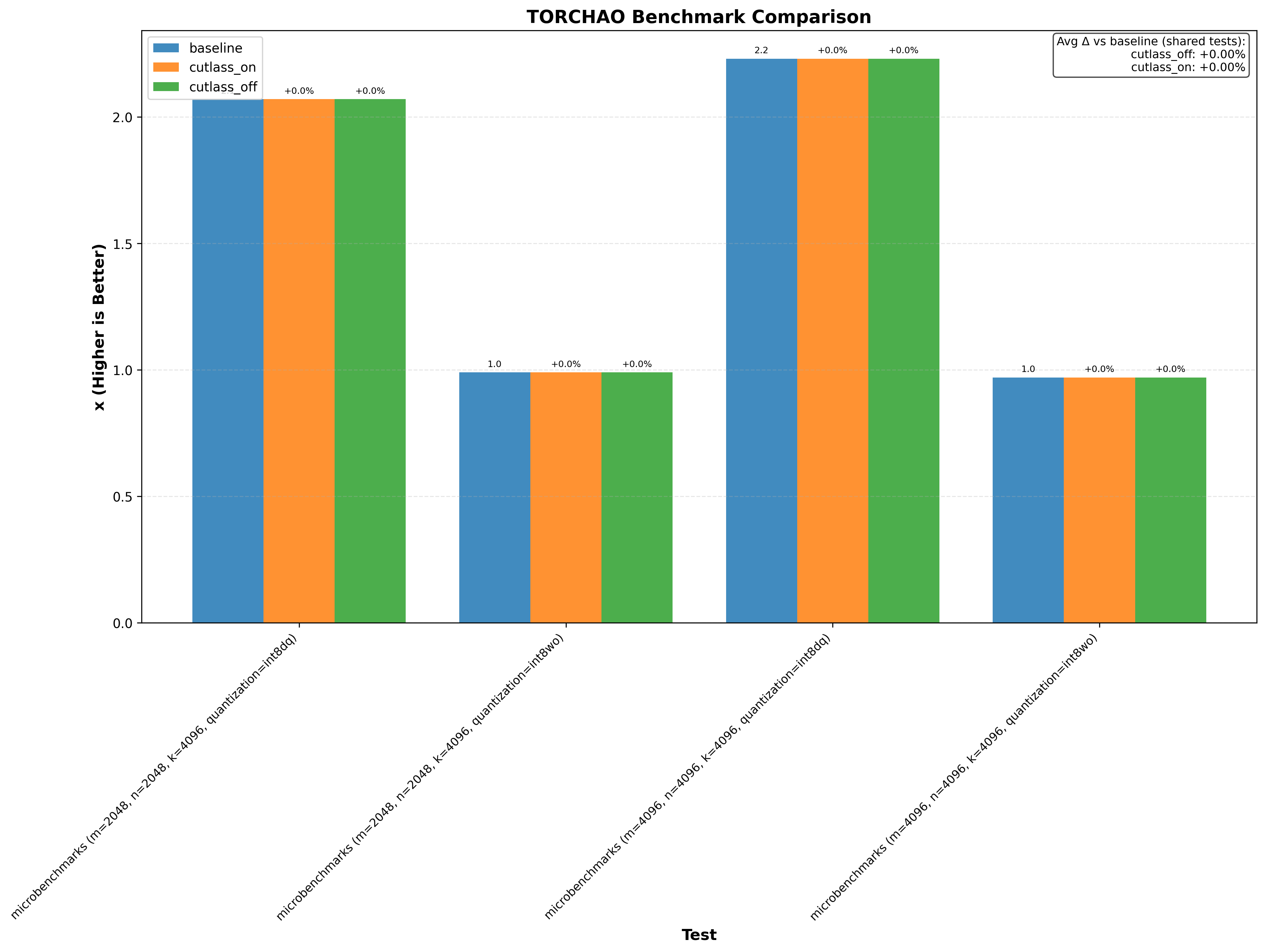
Expand to see H100 benchmarks
| GPU | Benchmarks | ||||||
|---|---|---|---|---|---|---|---|
| H100 (Hopper) | bitsandbytes | cutlass | deepep | deepgemm_tflops | flash_attn2 | flash_attn3 | flashinfer |
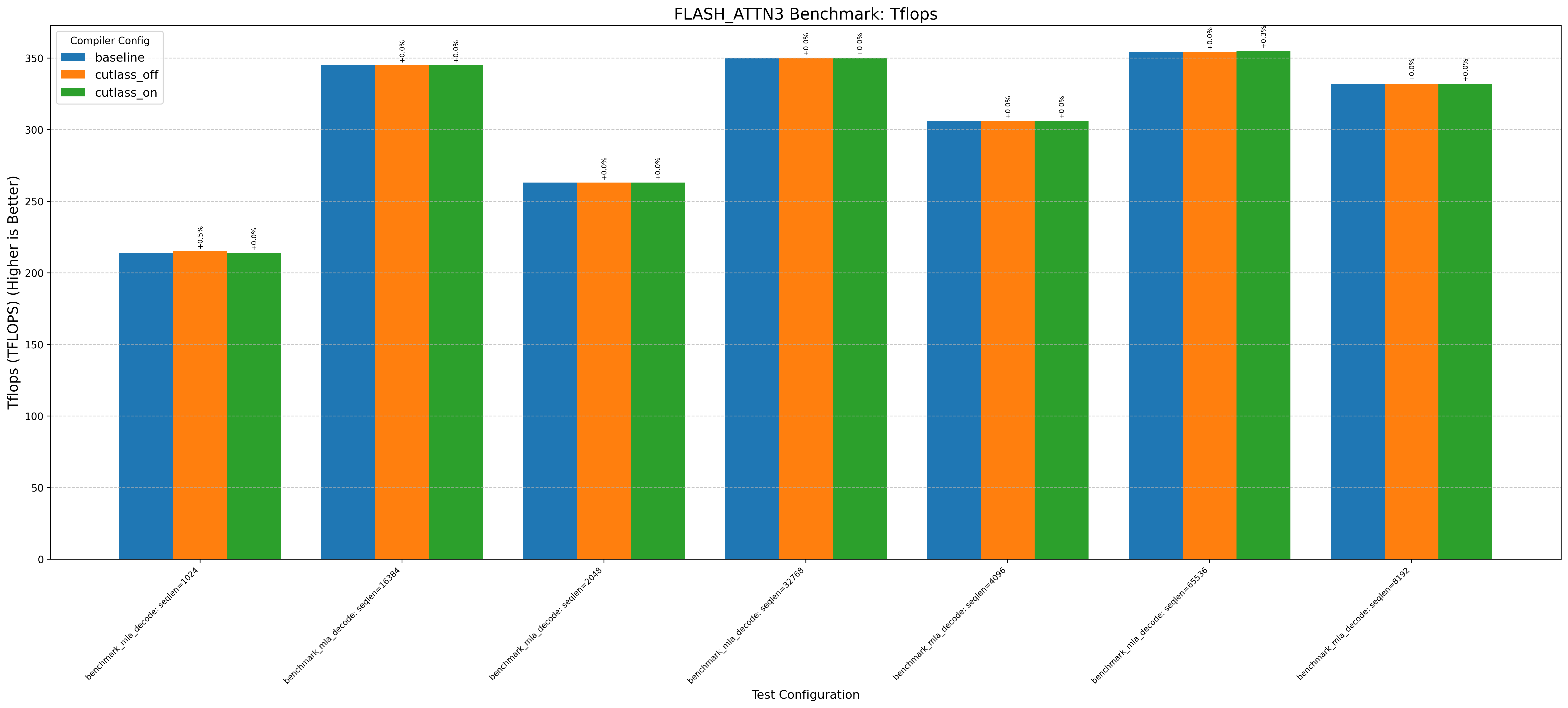
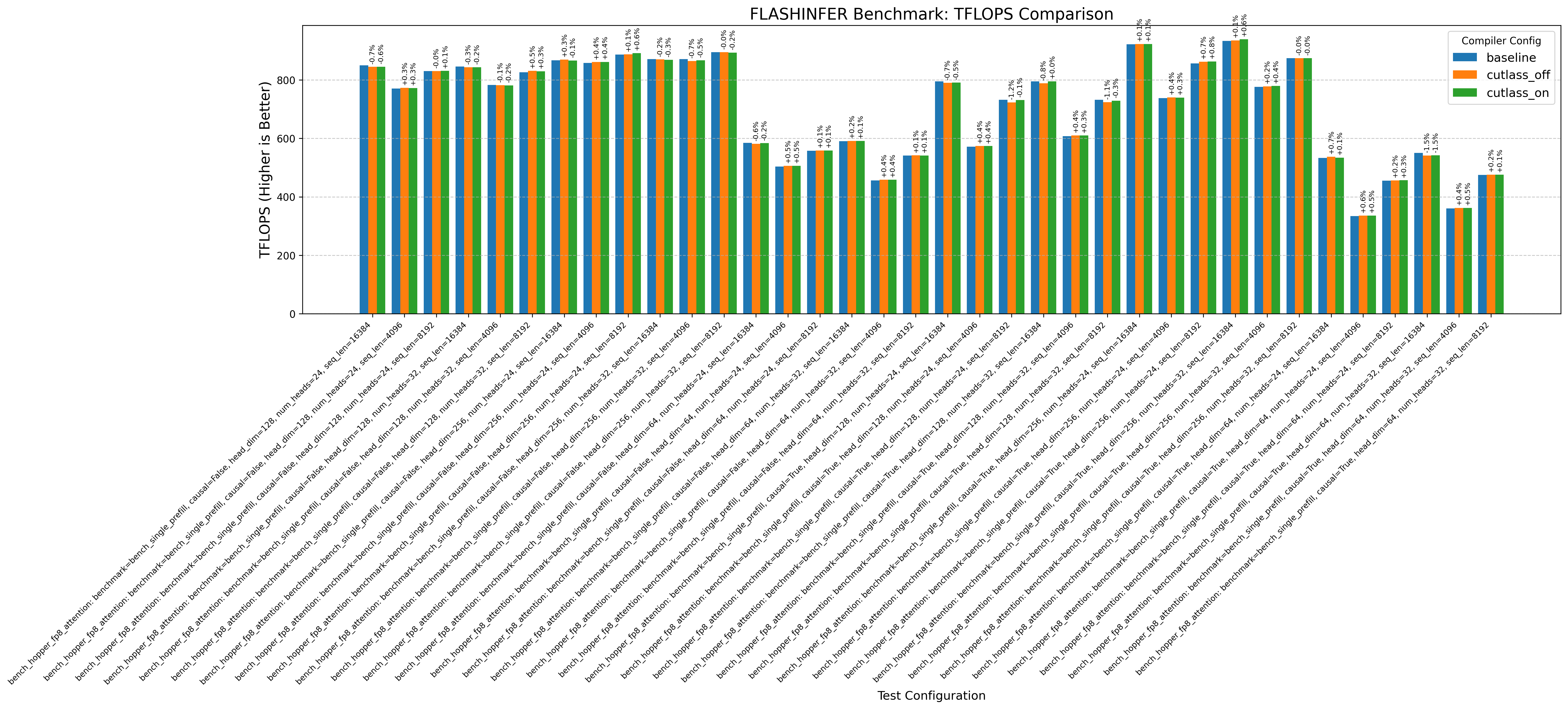
So what has it changed?
So, I’ve added a godbolt reference for people to see the difference. I’m using some parts of SGEMM_CUDAIf you haven’t checked it out, it’s a great blog on optimizing cuda matmul kernels by Simon Boehm as reference.
In the NVCC compliation pipeline, cuda goes to ptx then ptx goes to sass. Let’s check verify where this optimization is applied (is it applied at the ptx or sass code)?

First let’s explore if the cuda to ptx has changed.
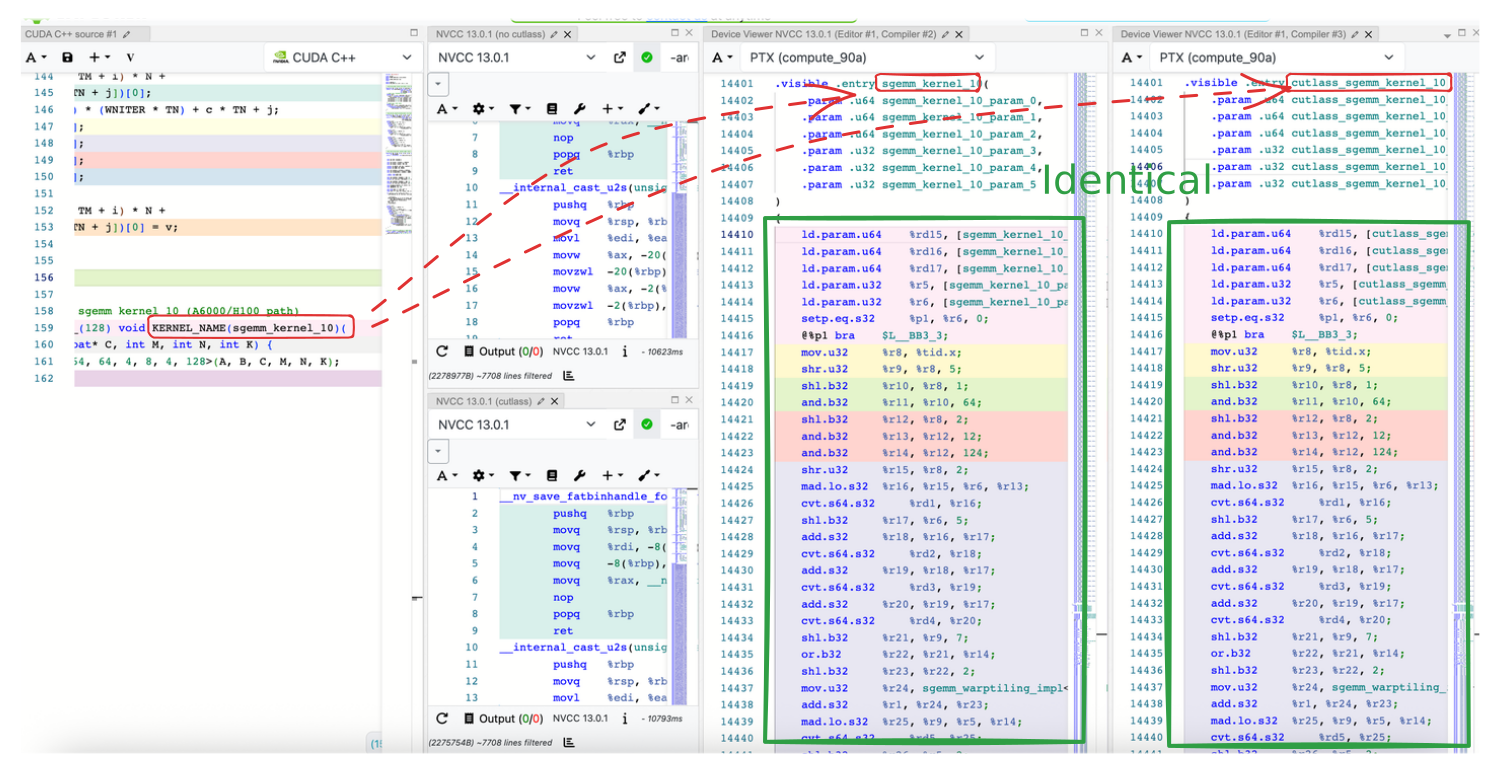
Only the name has changed. The PTX instructions are identical.
So let’s now check the the sass Godbolt link:
Clearly something has changed!
Two common changes we can see are:
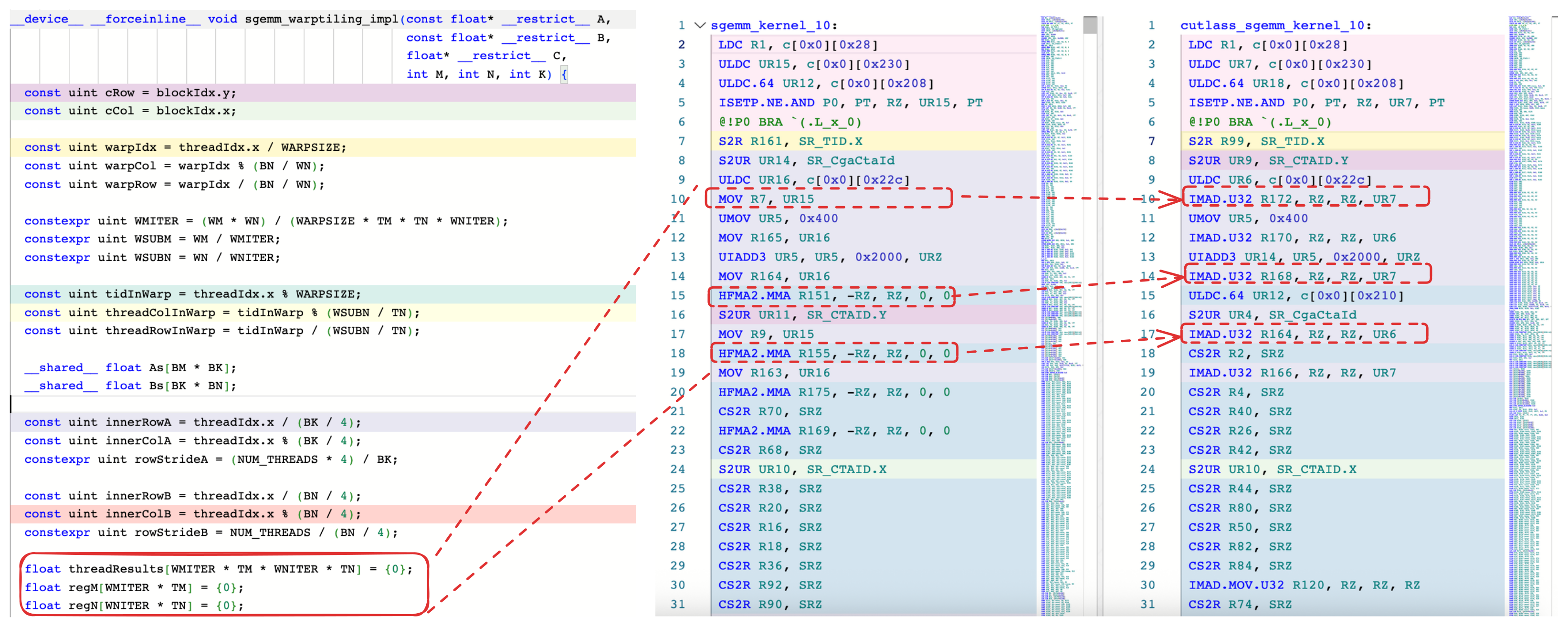
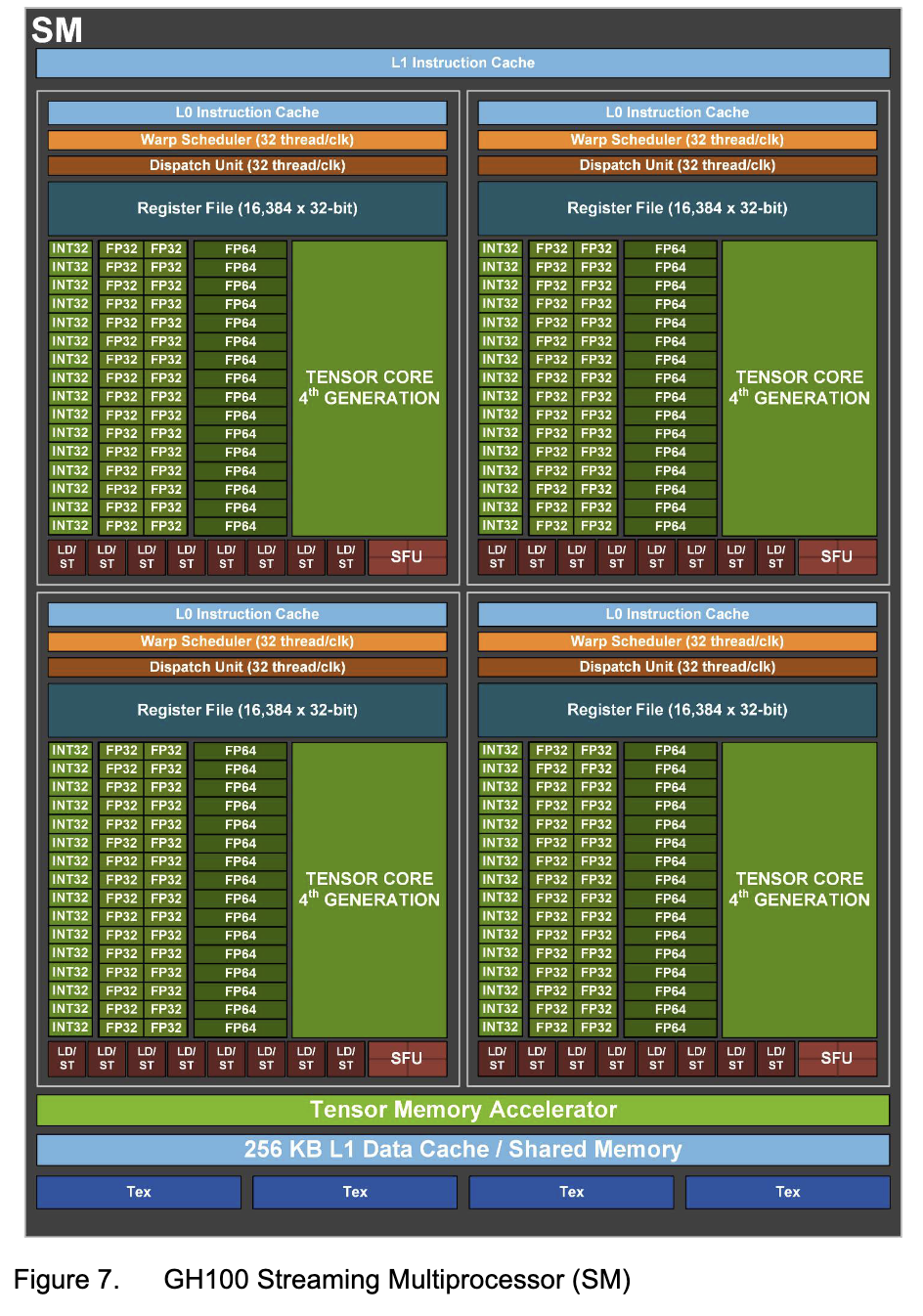
We can see that IMAD is used instead of HFMA2.MMA for moving constants, which is neat!By using IMAD, we can use the FP32 units. Refer to H100 SM Diagram.
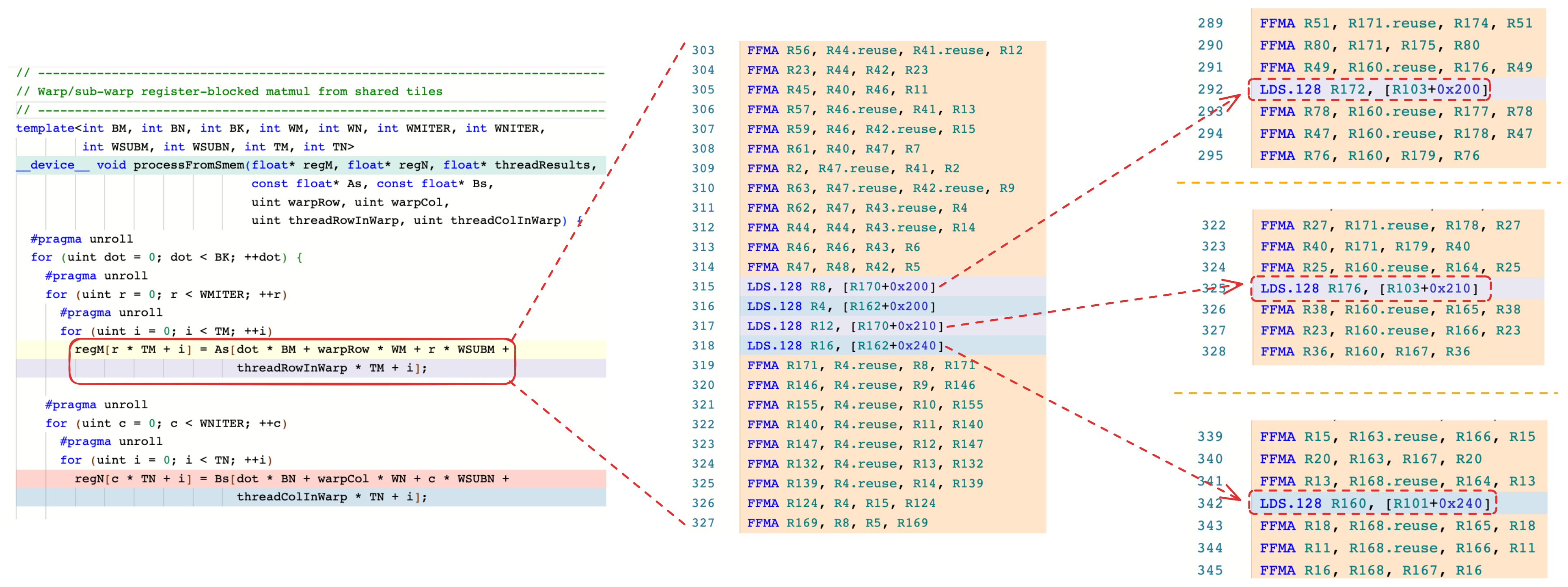
We can see that LDS interleaved instead of being stacked togetherThis should be able to increase instruction level parallelism
One thing that the disassembly doesn’t show is the register pressure. This optimization may increase register pressure:
cuobjdump --dump-resource-usage baseline.cubin

  Resource usage:
   Common:
    GLOBAL:0
   Function sgemm_kernel_10:
    REG:188 STACK:0 SHARED:17408 LOCAL:0 CONSTANT[0]:564 TEXTURE:0 SURFACE:0 SAMPLER:0

cuobjdump --dump-resource-usage cutlass.cubin

  Resource usage:
   Common:
    GLOBAL:0
   Function cutlass_sgemm_kernel_9:
    REG:214 STACK:0 SHARED:17408 LOCAL:0 CONSTANT[0]:564 TEXTURE:0 SURFACE:0 SAMPLER:0
Register usage increased from 188 to 214, a 13% increase in register usage. However, this isn’t always the case. I’ve seen other examples not affect register pressure and even decrease register pressure.
Below is a table of the different instructions that have changed for this kernel:
| Mnemonic | Baseline | CUTLASS | Δ |
|---|---|---|---|
| IMAD.MOV.U32 | 0 | 37 | +37 |
| HFMA2.MMA | 5 | 0 | -5 |
| LEA | 15 | 2 | -13 |
| IMAD.SHL.U32 | 0 | 10 | +10 |
| CS2R | 75 | 64 | -11 |
| MOV | 8 | 0 | -8 |
| IMAD | 0 | 8 | +8 |
| ULDC.64 | 4 | 1 | -3 |
| FFMA | 787 | 801 | +14 |
So… what is it doing?
So far, we’ve dug into specifics. The higher optimization seems to most likely do the following:
- Instruction selection - use f32 units for moving constantsMoving constants from registers isn’t in the hot path, but it’s a simple to see example! registersBut wait there’s more! I didn’t show it in this blog in detail, but you can see some IMADs replacing instructions
- Instruction reordering - mix memory loads with math
- Influence register pressure - may increase the number of registers used to achieve reodering
When ptxas sees matrix operations (MAD/MMA):

  Instruction selection:
    HFMA2.MMA,MOV -> IMAD

  Instruction reordering:
    LDS spread across FMMA

  As a Side effect:
    May increase register pressure
When should you apply this optimization?
With kernel writing, it’s tricky to say when you absolutely should and shouldn’t use this optimization. The optimization seems to increase ILP at the cost of register pressureWon’t increase register pressure in some cases!. Always benchmark to ensure the performance is goodI’ve seen the optimization not affect performance on some cards while affecting others significantly.
How to apply this to triton
import torch
import triton
import triton.language as tl

def rename_kernel(proxy):
    return "cutlass_kernel"

# will convert "my_kernel" -> cutlass_kernel
@triton.jit(repr=rename_kernel)
def my_kernel(M: tl.constexpr):
    pass

# compile and extract ptx
my_kernel[(1,)](M=32)
dev = torch.cuda.current_device()
kernel_cache = my_kernel.device_caches[dev][0]
compiled = next(iter(kernel_cache.values()))
ptx = compiled.asm["ptx"]

# print the kernel name from PTX
print('\n'.join(ptx.splitlines()[:20]))
It will show
//
// Generated by LLVM NVPTX Back-End
//

.version 8.7
.target sm_86
.address_size 64

        // .globl       cutlass_kernel          // -- Begin function cutlass_kernel
                                        // @cutlass_kernel
.visible .entry cutlass_kernel(
        .param .u64 .ptr .global .align 1 cutlass_kernel_param_0,
        .param .u64 .ptr .global .align 1 cutlass_kernel_param_1
)
How to apply this to ptxas
A universal patch to ptxas (which most frameworks invoke) is to just replace cutlass in the binary with something else.
Here’s how I do it:
input_path  = "/usr/local/cuda/bin/ptxas"
output_path = "ptxas_no_cutlass"

with open(input_path, "rb") as f:
    blob = bytearray(f.read())

# We expect exactly "cutlass" inside ptxas.
target = b"cutlass"
off = blob.find(target)
assert off != -1, "ptxas did not contain the cutlass marker!"

# Overwrite: c u t l a s s  →  ff ff ff ff ff ff ff, so that strstr("0xFF") since kernel names contains ascii
for i in range(len(target)):
    blob[off + i] = 0xFF

with open(output_path, "wb") as f:
    f.write(blob)

print(f"patched '{target.decode()}' at offset {off:#x}")
Resolving Public Statements
In my opinion, there seems to be a lot of assumptions people are throwing out on the internet about this optimization. I want to clear some of that up.
On the top of the hackernews post, it links to a response from a user about this optimization.

This statement is incorrect; I have compiled many real world projects with this optimization on and off and they ran without failing (passing output asserts) on different cards.
Also with a highly voted reddit comment
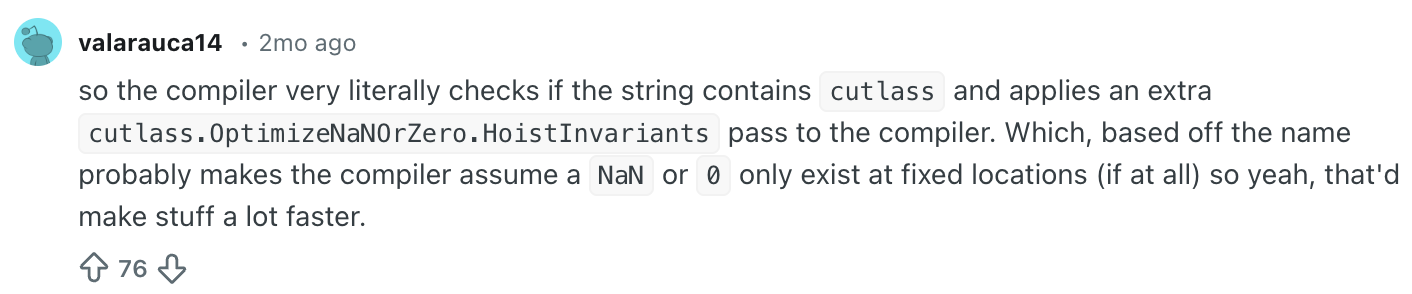
This explanation is really hard to understand. I’m guessing that the user is stating this trick uses NaNs/zeroes to optimize the program. It doesn’t use that. In fact, it tries to optimizes how registers are moved.
Previous mentions
This was also mentioned before by grynet on the nvidia forums where he complained that the following kernel would generate different sass
__global__ void mykernel(float *lhs, float *rhs, float *res, int M, int N, int K) {
   cutlass::gemm::GemmCoord problem_size(M,N,K);
   compute_gemm_with_cutlass(lhs, rhs, res, problem_size);
}
__global__ void mykernel(float *lhs, float *rhs, float *res, int M, int N, int K, cutlass::gemm::GemmCoord dummy) {
   cutlass::gemm::GemmCoord problem_size(M,N,K);
   compute_gemm_with_cutlass(lhs, rhs, res, problem_size);
}
and BAR.SYNC.DEFER_BLOCKING would be generated here instead of BAR.SYNC (due to cutlass being added as part ofthe function signature)
Perhaps this was also a part of the optimization in previous versions of ptxas?
Takeaway
So, adding “cutlass” to your kernel name can give you 100+ TFLOPs or -20% FLOPS.
The issue is two fold: ptxas is a black box and sass is undocumented. It’s unlike other ecosystems. You can see the passes running through LLVM and x86/arm are documented.
Well, with this optimization… it helps some kernels, hurts others or change not much at all. Completely depends on your architecture and your specific code. What flies on an H100 might tank on a 5090 or B200, and you have no way to know until you run it.
So what do you do? Benchmark it. Change the ordering in triton/cuda, see if PTX changes, check the SASS output. That’s the only way to know what ptxas actually did.
And this isn’t going away. tileiras (the new TileIIR compiler) is also a black box. We may expect similar surprises like this moving forward.
Appendix
NVIDIA toolchain background
NVIDIA’s toolchain works like this: CUDA code is compiled by nvcc into PTX, an intermediate representation. Then ptxas takes that PTX and turns it into SASS, the low-level instruction set the GPU runsptxas and sass are both undocumented, so it may be a bit difficult to understand what’s going on.
H100 SM Diagram
Changes
[12/16/2026] Thanks to @Firadeoclus on GPUMODE discord for pointing out that my original post mixes up HMMA and HFMA2.MMA and how they move constants instead of zeroing.
Citation
To cite this article:
@article{zhu2025cutlass,
  title = {Maybe consider putting "cutlass" in your CUDA/Triton kernels},
  author = {Zhu, Henry},
  journal = {maknee.github.io},
  year = {2025},
  month = {December},
  url = "https://maknee.github.io/blog/2025/Maybe-Consider-Putting-Cutlass-In-Your-CUDA-Kernels/"
}
Enjoy Reading This Article?
Here are some more articles you might like to read next: